Tampilkan postingan dengan label review. Tampilkan semua postingan

Review Notebook Ultrabook Acer Aspire S5

Rabu, 27 April 2016

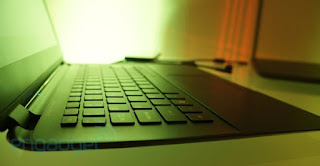
Review Notebook Ultrabook Acer Aspire S5 - Setelah sukses dengan Aspire S3, Acer kembali meluncurkan sebuah Ultrabook Notebook Tipis Harga Murah Terbaik untuk yang kedua kalinya yaitu Acer Aspire S5, Notebook Ultrabook ini memiliki ukuran layar 13.3inc serta bobot / berat hanya 1.35kg. Rangkanya terbuat dari gabungan magnesium-aluminum alloy yang memberi perlindungan pada body desain yang tipis dan ringan.
Notebook Ultrabook terbaru dari Acer ini diklaim sebagai ultrabook tertipis di dunia saat ini. Sebenarnya berapa ukuran ketebalan dari produk ini? Acer Aspire S5 memiliki ukuran ketebalan hanya 15mm di bagian tertipisnya. Dapat anda bayangkan betapa tipis dan ringannya ultrabook ini.

Ultrabook Acer Aspire S5
Walaupun memiliki ukuran lebih tipis dari notebook ultrabook sebelumnya, Acer Aspire S5 tetap memiliki performa yang solid karena sudah dipersenjatai dengan prosesor Intel® Core™, SSD storage untuk kecepatan sekaligus meningkatkan shock resistance, daya tahan baterai yang panjang berkat PowerSmart battery pack (dengan siklus hidup 3x lebih lama dibandingkan baterai biasa), dan dilengkapi dengan chiclet keyboard. Untuk dukungan audio, ultrabook ini pun telah dilengkapi dengan teknologi professionally-tuned Dolby® Home Theater® v4.


Salah satu fitur dari Acer Aspire S5 yang paling banyak menuai pujian adalah MagicFlip I/O port panel. Desain fitur ini berada di bawah engsel Aspire S5, memastikan notebook Ultrabook ini memiliki desain yang sleek dan efektif, sekaligus menyediakan berbagai I/O ports seperti: HDMI®, USB 3.0 dan 20 Gbps Thunderbolt yang dapat digunakan untuk proses transfer data lebih cepat. Untuk memberikan nuansa yang elegan, Acer Aspire S5 ini dibalut dengan body terbuat dari gabungan magnesium-aluminum alloy hitam atau abu-abu.

Ultrabook Acer Aspire S5

Notebook Ultrabook Acer Aspire S5 pun dilengkapi dengan fitur unik: teknologi Acer Green Instant On untuk booting dan resume dalam waktu kurang dari 2 detik, serta Acer Always Connect yang mengizinkan user mengatur multimedia dan data milik mereka di semua alat milik mereka kapanpun, dimanapun. Teknologi Acer Green Instant On dan Acer Always Connect yang inovatif membuat data dapat dikirim dan diterima kembali kapanpun, dimanapun, dilengkapi juga dengan fitur power-saving.

Kabar yang saya terima, Notebook Ultrabook Acer Aspire S5 ini akan mulai dipasarkan pada kuartal kedua tahun 2012, namun sayangnya Acer belum memberitahu soal harga Aspire S5 per unit. Kita tunggu saja kabar terbaru dari ACER.
Read More..

Samsung SF310 Laptop Review

Kamis, 19 September 2013

Samsung SF310 Specification:

Intel 2.53GHz Core i5 460M
Intel HD Graphics/nVidia GeForce GT 330M
Memory: 2GB Ram
HD: 320Gb
Screen: 13.3-inch, 1366 x 768
Connections: 3x USB, VGA, HDMI, gigabit ethernet, card reader, N Wi-Fi, Bluetooth 3.0
Optical drive:DVD-RW
Battery tested: 385 mins
Dimensions/Weight: 331x234x27mm/2kg

Samsung produced some great laptops in 2010 and, on the evidence of the SF310, 2011 looks to be another vintage. Providing a successful mix of power, portability and usability the SF310 is also an extremely competitively priced machine, leaving many competitors floundering in its wake.

Ok, the 2kg chassis isn’t quite as light as we would’ve liked and it’s certainly bulkier than the latest Apple MacBook Air but the excellent 384 minute battery life offers over six hours of battery between charges, meaning you can leave the adapter at home on day trips.


Everyday performance is aggressive thanks to the Intel Core i5 460M processor and 4GB of memory. You’ll blitzkrieg through pretty much any consumer applications without issue, and resource intensive multitasking is also an option.

The SF310’s dedicated nVidia GeForce GT 330M graphics card allows quite a bit of play as well as work. We’re not talking high-end gaming, but HD movie editing will run fine. All this for under £800 is excellent value for money.

The 320GB hard drive is about right for the price, allowing plenty of room for your multimedia files, and you also get a DVD-RW chucked in for good measure, allowing you to watch your favourite films on the go as well as regularly back-up crucial data.

The ivory white lid finish and gentle curves of the chassis make this an attractive, as well as functional, laptop. The SF310’s palrmest features a chic brushed aluminium finish and the touchpad reflects light in a swirl pattern, giving the machine a unique look. We like shiny things.

Usability is also top-notch. The bright 13.3-inch screen features a 1366 x 768 720p screen resolution, so technically HD, which makes the best of photos and films. A very shiny screen coating causes distracting reflections in bright light, however, so not great for the garden.

The SF310’s spacious keyboard suffers none of the flexibility issues that plague many other laptops around and the keys are well-spaced and boast a firm, crunchy action which makes typing for long periods of time as much of a pleasure as possible.

A good spread of ports includes three USBs for connecting up peripherals or charging your smartphone, as well as both HDMI and VGA video outs, so hooking up to an external monitor or TV is quick and easy.

Samsung has created a fantastic laptop, the price is exquisitely low for what you get, and great design makes this a very desirable machine also.


Read More..

Dell Latitude E6410 Laptop Review

Rabu, 18 September 2013


Dell Latitude E6410 Specifications:

14.1 LED-backlit WXGA+ 1440x900 Display
Intel Core i7 620M processor (2.66GHz, 4MB cache)
NVIDIA NVS 3100M Dedicated Graphics with 512MB VRAM
4GB DDR3 RAM
250GB 7200RPM hard drive (Western Digital Scorpio Black)
Intel Wireless Wi-Fi 6200AGN
Built-in Bluetooth v2.1+EDR
8X DVD burner
One-year limited warranty
9-cell Li-ion battery (85Wh)
Weight: 4.26lbs starting (5.5lbs configured)
Dimensions: 13.2 x 9.4 x 1-1.2-inches

The Latitude E6410 is the latest in a long line of business notebooks from Dell. Sporting a wide range of Intel Core processor options, Intel integrated and NVIDIA NVS 3100M dedicated graphics, and two display options. In this review we see how this Dell business notebook compares to others already on the market.


Build and Design


The Dell Latitude E6410 has a very modern look and feel, with a few changes this generation to give a nod towards past models. The E6400 brought the latest body style, with a black alloy shell. The E6410 this time around keeps the body style, but switches back to the gunmetal gray coloring scheme which was found on the D630 and D620 before it. The finish has a pseudo-brushed appearance (painted, not actual brushed metal like on the HP EliteBook) that seems to resist fingerprints more than the real thing. The lower half of the notebook keeps the black metal design, with a large service panel that lets you access everything in the notebook by removing a single screw.

Inside the E6410 the look is matte black on everything besides the keyboard and model lettering. Compared to what you might find in a consumer model, there are no glossy or reflective surfaces besides the small chrome lettering on the Dell branding logo. This is nice if you use your notebook in brightly lit areas where reflections can be distracting. It also means that smudges and fingerprints wont be a problem from day-to-day use.

Build quality is very good and if feels very durable with the metal panels top and bottom. In the business notebook market not all makers have stuck with metal body panels. After the T60-series ThinkPad, Lenovo switched to a plastic top cover, which has stuck for every generation since then. The HP EliteBook though keeps the metal top cover and retains the image and feel of a higher-grade notebook over a standard plastic consumer model.


The Latitude E6410 chassis felt very well built and resisted any flexing in the usual spots. The palmrest and touchpad showed no signs of sag under heavy prodding. The keyboard directly over the optical drive stayed firm, even though most notebooks do show some signs of weakness in this area. Grabbing the notebook by the palmrest and carrying it around didnt cause any twisting or creaking noises. With the notebook closed the screen cover gave above average protection for the screen and should prevent any keyboard key marks on from imprinting on the LCD after being transported in a backpack loaded with other items. With the notebook open it took a good amount of pressure applied to the back of the cover before it showed any ripples or distortions on the display.

Users looking to upgrade parts of IT staff looking to replacing components will find the Latitude E6410 very easy to service. Dell designed the entire bottom around a single access panel with a single screw holding it in place. After removing the screen (which is retained with a spring so it never gets lost) you simply slide the cover down about a smidge and pop it off. With the cover removed you gain access to the WWAN, Wi-Fi card, memory slots, processor and heatsink, CMOS battery, cooling fan, and the instant-on OS card. Outside of having a cover that removes by the thought of wanting to upgrade alone, the E6410 is probably the easiest notebook we have come across to upgrade.

Ports and Features

The Latitude E6410 is packed with a ton of connections, including three USB 2.0 ports, an eSATA/USB combo port, VGA and DisplayPort-out, audio jacks, LAN, and FireWire-400. Other features include an optical drive, SDHC-card reader, and a SmartCard reader.

modified from notebookreview.com


Read More..

Harga dan Spesifikasi Acer Aspire 4750z B942G32Mn Review

Selasa, 17 September 2013

Acer Aspire 4750z-B942G32MnAnda sedang mencari harga dan spesifikasi Acer Aspire 4750z-B942G32Mn? Dapatkan di sini. Lengkap dengan review kekurangan dan kelebihan Acer Aspire 4750z-B942G32Mn. Seri Aspire 4750, tanpa z dibelakangnya adalah seri Aspire yang menggunakan processor Core i3-2330M. Sementara si Aspire 4750z memakai processor Pentium B940 2.0Ghz. Dari sisi processor saja, tampak jelas bahwa 4750z ditempatkan sebagai versi murah dari seri Aspire 4750. Harganya memang cukup murah, saat ini berada di kisaran Rp. 3.800.000,00. Kalau harga bekasnya, silahkan mencari di forum-forum jual beli, Rata-rata harga bekas Aspire 4750z adalah Rp. 2.800.000,00 sampai Rp. 3.500.000,00. Mau lebih murah lagi? Tunggu saja 2 atau 3 bulan lagi, hehe…

baca juga: Daftar Harga Laptop Terbaru

Ok. Sekarang kita lihat spesifikasi Acer Aspire 4750z-B942G32Mn

  • Processor : Intel Pentium Dual Core B940-2.0Ghz
  • Memory : 2GB up to 8GB DDR3 PC10600
  • Video Type : Intel HD3000-729MB (More Powerful)
  • Display Size : 14″ wide Crystal LED
  • Hard Drive : 320GB SATA
  • Optical Drive : DVD/RW Super Multi DL
  • Connectivity : WiFi 802.11 b/g/n, LAN 10/100Mbps
  • Expansion : Web Cam, Card Reader, HDMI, RGB Port
  • O/S Provided : DOS
  • Battery Type : Lion 6 cell Rechargeable Lithium-ion Battery
  • Dimension (WHD) : 13.2 x 9.0 x 0.8 inches
  • Weight : 2.19 Kg
  • Standard Warranty : 1 (One) Year Limited Warranty by ACER Indonesia

Kelebihan Aspire 4750z-B942G32Mn

Jelas harganya. Dengan uang Rp. 3.800.000,00 anda sudah bisa membawa pulang laptop berlayar 14 inchi dengan kemampuan cukup untuk menjalankan aplikasi kantoran macam Microsoft Office. Anda tidak akan mengalami kesulitan dengan itu. Intel HD3000 juga sudah cukup kuat untuk mendukung kegiatan multimedia anda semisal menonton film HD. Untuk 1080p memang mungkin agak nge-lag, tapi untuk memutar fil DVD sudah cukup. Video 720p bisa diputar dengan baik kog.

Kemungkinan untuk upgrade RAM Aspire 4750z-B942G32Mn sampai 8GB juga patut dipertimbangkan sebagai nilai lebih.

Kekurangan Aspire 4750z-B942G32Mn

Tentu ini sebanding dengan harganya yang murah. Dengan processor Intel Pentium Dual Core B940-2.0Ghz, anda tentu harus maklum kalau laptop ini tidak dibuat untuk bekerja ekstra keras macam mengedit video atau membuat animasi 3D. Blender mungkin bisa dipakai. Tapi kalau anda memaksanya menjalankan Adobe Premiere atau After Effect CS 5 atau 6, ya… berarti anda harus menyiapkan kopi lebih banyak, karena akan sangat lambat. Intinya jangan dipaksa.

Saya tidak melihat ada Bluetooth di Acer Aspire 4750z ini. Ini juga salah satu kekurangan. Atau jangan-jangan saya yang keliru.

Kesimpulan

Acer Aspire 4750z-B942G32Mn adalah laptop murah tapi cukup bagus untuk dipakai mereka yang sering berkutat dengan tugas-tugas kantor dan sekolah. Jika kegiatan komputasi anda adalah seputar mengetik laporan, mengakses internet, menulis posting blog, mengedit foto sederhana, laptop Acer murah ini sudah cukup.

Read More..

HP Slate 500 Review


 Specifications:

Slate tablet design starting at 1.50 lb/0.68 kg
8.9-inch diagonal LED-backlit WSVGA wide-viewing angle display (1024 x 600 or 1024 x 768 for some applications)
Capacitive multi-touch screen with pen digitizer
Integrated 802.11 b/g/n wireless LAN
Bluetooth 3.0 + HS
Intel System Controller Hub (SCH) US15W chipset and Intel Atom™ processor
64 GB SSD
Secure Digital (SD) slot
Two integrated webcams (VGA inward facing; 3 MP outward facing)
HP Slate Dock, HP Slate Digital Pen, and HP Slate Folio are optional accessories that may be included on select configurations

As a tablet PC user since the launch of Windows XP Tablet PC Edition in November 2002, Ive longed for a lightweight, portable and thin slate device that essentially functions as a digital notepad computer, and this is what I believe HP has delivered in the 500. Theres nothing new here, the Slate is just a vanilla Windows 7 Professional device with practically no 3rd party applications installed except Evernote and the camera software, but I think thats actually a good thing as it keeps the unit from being bogged down given its adequate but less-than-powerful Atom platform.


Build & Design

The HP Slate 500 packs a lot of hardware into its svelte 5.91 x 9.21 x 0.58 inch body, and it only weighs 1.5 pounds to boot. The unit is impressive with an Atom Z540 1.86 GHz CPU, 64 GB SSD, 2 GB of DDR2 RAM, front-facing VGA camera, rear-facing 3 megapixel camera and an 8.9-inch 1024 × 600 screen with an N-trig Duo Sense capacitive touch and digital pen digitizer. This combines to give the HP Slate 500 topline specs at a topline price compared to most consumer slates. The 500 is sealed with no user replaceable battery or other parts.

The device is physically attractive and the rubberized back with a distinctive textured repeated pyramidal design with the HP logo in the center allows for good gripping either lying on a surface or in ones hand, and the flat back allows the Slate to function well for inking on a desk.

The device is fanless and completely silent but still manages to keep cool most of the time. The back does get quite warm when the device is charging or being taxed, such as when playing HD video. Its not scalding, but it might make your hands sweat.

Ports, connections, buttons & accessories

The Slate has one USB port, a full SD slot, a combination headphone/microphone jack and a combined power/dock connector. There are five hardware buttons along three sides of the machine. On the right in the primary landscape orientation is the combination power and screen rotation lock switch that disables the accelerometer. At the top right is the home button that minimizes all open windows and when held down for several seconds turns off the display backlight. To the left is the Control-Alt-Delete button for domain security purposes. On the top left is a volume rocker and finally on the left side is a toggle button for the Windows Tablet Input Panel.

The dock is lightweight with a folding leg and provides two additional USB ports, a headphone/microphone jack, a power connector thats identical to the one on the HP Slate 500, and finally an HDMI output. The Slate pops in and out of the dock nicely.

The metal digital pen uses an AAAA battery and is very comfortable to hold but the battery cap at the top is a bit flimsy, Ive already broken the plastic ring around the top but fortunately it hasnt interfered with the pens function as far as Ive noticed. As with most digital pens on tablet PCs, it has a right click button.

The leather portfolio is form fitted for the Slate and has cutouts for the cameras and a strap holder for the pen. It reeks of professionalism and is a wonderful touch to the package as the Slate 500 is a device many will want to take to professional settings such as meetings.

The total weight of the Slate, dock, AC adapter, portfolio and pen is 3 lbs. according to my postage scale, which is accurate to within two ounces.

Screen

The 8.9-inch screen is bright however, viewing angles are not very good in primary landscape mode. Ive found that rotating the screen 180 degrees so that the HP logo is at the top provides better image quality especially for video when viewing the screen outside of 45 degrees.  As is common with slates, the screen is smooth and glossy and does produce glare, but Ive not found it distracting in normal indoor lighting conditions though bright and direct sunlight will washout the screen. There is a good amount of backlight bleed around the edges of the screen. Its not typically a problem but it is noticeable with darker colors and blacks, especially during video playback in darker lighting conditions.

Performance

As the HP Slate 500 is essentially an Atom based netbook running Windows 7; its simply not a speed demon. It has a Windows Experience Index of 2.7, with the 2.7 being the CPU rating, which is a bit higher than first-generation netbooks, and the 64 GB SSD does help to keep things humming along nicely for a netbook.
Youll find that common desktop applications like Office 2010 run wonderfully. Web browsing in IE 9 Beta overall is a solid experience with all of the Flash and other browser plug-ins youve become accustomed to in Windows.
Thats not to say that web browsing on the Slate 500 is a super smooth experience in all cases. While most web sites run well, there are some that just dont. Some vertically-oriented sites will often stutter when scrolling, which can be frustrating particularly while using the touchscreen. On the flipside, pure Flash sites like Geforce.com run very well. Major sites like YouTube, Facebook, etc. all run fine. Youll have a blast updating your Facebook page with a pen!

Touch Interface

The N-trig Duo Sense digitizer also has a capacitive multi-touch part that supports four touch points. Touch is responsive and works well in most applications, but since Windows is a desktop OS, most of those applications will not have the beautiful and fluid visuals of the iPad. The tradeoff is that one will usually have more functionality with those programs.

The Office 2010 suite of applications are examples that do provide enough touch awareness to be completely functional via only touch, and Office will generally outpace mobile OS equivalents in features. But even in Office, there are still buttons and menus that were obviously not updated or designed with fingers in mind, and not all of the applications work equally well with touch, including PowerPoint and Publisher. You might have to use a little more care to do certain things but there is rarely something that cant be done via touch in most applications, even if it is not as fluid as it should be.

Video Performance

The Slate 500s video playback abilities are strong gratis Windows. Ive used a variety of applications: Windows Media Player & Center, VLC and KMPlayer, and they all perform well, though VLC seemed to provide the smoothest 720p playback. 720p and even 1080p playback over 802.11n Wi-Fi is possible, though 1080p only worked in WMP and WMC as those applications use the Broadcom Crystal HD video decoder out of the box, though it is possible to get KM Player to as well.

modified from tabletpcreview.com


Read More..

Lenovo IdeaPad G470 919 Spesifikasi Review Harga Terbaru

Senin, 16 September 2013

Sedang mencari laptop i5 dibawah 5 juta? Sebaiknya baca spesifikasi review harga Lenovo IdeaPad G470 919 ini. IdeaPad G470 919 quick spec: Intel Core i5-2520M, 4GB DDR3, 500GB HDD, DVD±RW, NIC, WiFi, Bluetooth, VGA Intel HD Graphics 3000, Camera, 14" WXGA, Non OS. (UP6M58Y7W533)

Tahun ini Lenovo memang luar biasa. Produsen laptop, desktop, tablet, dan smartphone dari China ini berhasil menjadi produsen desktop terbesar di dunia. Produknya juga semakin dipercaya konsumen. Demikian juga dengan laptop Lenovo IdeaPad G470 919 ini. Di beberapa situs toko laptop online, produk menjadi laptop terlaris pada kategorinya. Salah satu penyebabnya adalah perimbangan harga dan spesifikasi yang sepadan, sehingga konsumen tidak merasa khawatir denga performanya.

Processor, RAM, Hard Disk

Lenovo IdeaPad G470 919Lenovo IdeaPad G470 919 memakai Intel Core i5-2520M. Bukan yang terbaik dari seri i5 memang, tapi dengan harga 5 jutaan, processor ini sangat layak. RAM standar G470 919 adalah 4 GB. Sudah lebih dari cukup untuk membuat Windows 7 atau 8 anda berjalan dengan normal. Kemudian hard disk 500 GB juga sudah lumayan lega jika anda berniat membawa koleksi musik dan film favorit kemanapun anda bepergian. Kalau masih kurang ya siapkan uang tambahan untuk membeli hard disk external yang harganya sudah lumayan itu.

Layar, VGA

VGA Lenovo IdeaPad G470 919 adalah Intel® HD Graphics 3000. Bukan graphic card kelas atas memang. Tapi dia sudah cukup untuk aktivitas komputasi sehari-hari. Kalau diberi yang terlalu bagus, nanti malah kebanyakan main game 3D berat, tidak kerja-kerja, hehe…. Tenang saja, Intel® HD Graphics 3000 ini sanggup memainkan video full HD dengan lancar kog. Juga untuk main game ringan-ringan.

Kalau untuk desain grafis cukup tidak? Asal mau menunggu agak lama, Lenovo masih sanggup untuk melakukan rendering agak besar. Kalau sekedar mengedit foto dengan Photoshop atau membuat desain dengan Adobe Illustrator atau Corel Draw! bisa banget kog. Mengedit film atau membuat animasi dengan Adobe After Effect? Bisa, tapi ya agak lama. Toh, desain grafis umumnya membutuhkan prosesor cepat dan RAM memadai, sedangkan VGA menjadi komponen ketiga yang paling berpengaruh. Kecuali jika mode render menggunakan VGA itu lain lagi ceritanya.

Dimensi dan berat

Badan Lenovo IdeaPad G470 919 mempunyai ukuran 340 x 17.2-34.4 x 231.8 (mm), bobotnya sekitar 2.2 kg. Kalau anda terbiasa membawa netbook atau ultrabook, jelas ini berat. Tapi untuk ukuran laptop berlayar 14 inchi, ini biasa.

Harga Lenovo IdeaPad G470 919

Harga Lenovo IdeaPad G470 919 saat ini ada di bawah 5 juta rupiah. Antara Rp. 4.650.000,00 sampai Rp 4,999,000,00.

Kelebihan Lenovo IdeaPad G470 919:
  • Harga yang terjangkau
  • Core i5-2520M 2.5 GHz dengan turbo boost hingga 3.2 GHz.
  • Fitur cukup lengkap
  • Slot USB 4 buah
Kelemahan dan kekurangan Lenovo IdeaPad G470 919:
  • Desain terbilang biasa saja bagi sebagian orang (relatif)
  • belum dilengkapi USB 3.0 (bukan hal yang terlalu bermasalah)
  • Non OS (artinya Anda masih harus mengeluarkan biaya untuk install operating systemnya)
  • VGA masih on board
  • Driver download sendiri alias tidak disertakan. Download di sini: http://support.lenovo.com/en_ID/downloads/default.page?#

Spesifikasi Lenovo IdeaPad G470 919

Platform

Notebook

Processor Type

Intel Core i5 Processor

Processor Onboard

Intel® Core™ i5-2520M Processor (2.5GHz, Cache 3MB)

Memori Standar

4 GB DDR3

Max. Memory

Up to 8GB DDR3 

Video Type

Intel® HD Graphics 3000

Display Size

14" WXGA LED

Display Max. Resolution

1366 x 768

Audio Type

Integrated

Speakers Type

Integrated

Hard Drive Type

500 GB Serial ATA 5400 RPM

Optical Drive Type

Super-Multi DVD

Networking

Gigabit NIC

Network Speed

10 / 100 / 1000 Mbps

Wireless Network Protocol

IEEE 802.11b, IEEE 802.11g, IEEE 802.11n

Wireless Bluetooth

Available

Keyboard Type

Standard Keyboard

Input Device Type

Touch Pad

Card Reader Provided

5 -in-1 card reader ( SDXC/ MS/ MS Pro/ MS Duo/ MMC)

Interface Provided

4x USB 2.0, VGA, HDMI, LAN, Audio

O/S Provided

Pre-sales Request Available

Baterai

6 Cells Rechargeable Lithium-ion Battery

Power Supply

External AC Adapter

Dimensi (PTL)

340 x 17.2-34.4 x 231.8 (mm)

Berat

2.2 kg

Garansi

1-year Limited Warranty by Authorized Distributor

Read More..

Sony VAIO Y Laptop Review

Minggu, 15 September 2013


Sony VAIO Y Specifications:

Intel Pentium U5400 (1.2GHz, 3MB cache)
4GB DDR3 1066MHz RAM (8GB max)
500GB 5400RPM Toshiba Hard Drive
13.3" Widescreen LED Backlit Display (1366 x 768)
Intel GHA HD Integrated Graphics
Atheros B/G/N, 1Gb LAN, Bluetooth
Ports: 3 x USB 2.0, Headphone Output, Microphone Input, VGA, HDMI, RJ-45 Ethernet, FireWire
6-cell 54Wh battery
Dimensions: 12.8"(W) x 0.93 - 1.2"(H) x 8.9"(D)
Weight: 3.81 pounds (with standard capacity battery)

The VAIO Y is a 13.3" ultraportable CULV-powered notebook from Sony, acting as the affordable-brother to the high-end VAIO Z. This model includes Intel GMA HD integrated graphics, an Intel Pentium CULV processor (New models feature Intel Core i3 and i5 ULV processors), 4GB of DDR3 memory and a WXGA resolution display. In this review we see how well this model stacks up against other ultraportable systems and if it should be added to your back-to-school notebook buying list.

At the time of publishing this review, Sony has phased out the older Intel Pentium processors, as seen in this review, and replaced them with the newer Intel ULV Core i3 and i5 processors


Build and Design

The Sony VAIO Y has a laid back design compared to the more expensive VAIO Z, with slightly thicker panels, smoother lines, and a more tried-and-true color scheme. Whereas the Z might include a custom machined faceplate, the Y offers a standard painted body panel. Another change is the color selection between the two models, with the Z offering more professional finishes and the Y including fun and sporty color options. As a whole the Y-series seems to be the thin and light system designed for a younger crowd. The design still includes many cool elements, including the hinge-integrated power button, slice power indicator light embedded in the top edge of the notebook, and island-style keyboard.

Build quality is top notch for a sub-$800 notebook with sturdy body panels and a very strong chassis. The screen cover provides more than adequate protection for the display, preventing any distortions from showing on the LCD with a firm grip to the opposite side. The keyboard and main body dont seem to have much flex and without the optical drive cavity inside the notebook, it almost seems to have less flex on the right side. Without going to the extremes with a fully machine top-plate Sony still managed to create a very sturdy notebook.

Compared to the Vaio Z which included a proprietary SSDarray, the Sony VAIO Y uses a much more basic, and easier to upgrade 2.5" hard drive. This, as well as the system memory, is accessible through the bottom of the notebook. For users looking to upgrade to anSSD down the road this means you wont have to fully dismantle the notebook just to swap out one component.

Keyboard and Touchpad

The VAIO Y has a comfortable Chiclet-style keyboard that is easy to type on for long periods of time. Compared to the Vaio Zthe spacing is a bit different, putting dedicated Page Up/Down and Home/End keys on the right side of the keyboard, instead of including them as secondary functions over the direction keys. This caused some shrinking of the right shift button and left control button as well as slightly tighter spacing. The keyboard also lacks one of the luxurious backlit keys seen on the VAIO Z, but that was expected given the much lower starting price. Keyboard support is excellent with no noticeable keyboard flex under strong typing pressure. Key responsiveness is great as well as very quiet key actions that dont emit much noise when fully pressed.

The touchpad on the VAIO Y is a Synaptics model that is very responsive and has no discernible lag. The touchpad includes some multitouch features, including two-finger scroll which the Z actually skipped in favor of the chiral-scrolling motion. Refresh rates were excellent, preventing any "trails" from the cursor drawing fast circles on the screen. The touchpad settings out of the box were near perfect, with no tweaks needed during the review. I also found the touchpad buttons to be easy to trigger with the edge of your thumb and had shallow feedback when fully pressed. Overall the touchpad was very good and one of the nicer models seen on a thin and light notebook.

Ports and Features

Port selection on the VAIO Y was very good for a thin and light system, including three USB 2.0 ports, FireWire 400, VGA and HDMI-out, audio jacks, and LAN. Expansion slots included a SDHC and MemoryStick card reader, as well as an ExpressCard/34 slot.

Screen and Speakers

The Sony VAIO Y comes standard with a 13.3-inch WXGA panel with no upgrade options for higher resolutions. Compared to other CULV-based notebooks the screen rates above average with good color and contrast. I have to admit that this screen was a step down from the one seen on the VAIO Z, which had a higher color saturation and deeper black levels (at nearly triple the cost!). For users looking to enjoy a movie on the road, enjoy a YouTube clip during class or type a term paper during a study session the screen is perfect. Backlight levels were good for bright indoor viewing conditions, with the surface measuring 196nit at full brightness. Viewing angles were good, although colors did seem to have a narrow sweet spot of roughly 10-15 degrees before colors started to shift or invert vertically. Horizontal viewing angles were much better, spanning over 60 degrees from the side.
Speaker performance was good for a thin and light system, with strong volume levels to fill a small room. Bass and midrange were lacking, but that was not unusual for a system in this class. Sony does include a headphone jack which puts out clean audio for private listening, as well as an HDMI-out jack for connecting the notebook to a HDTV and stereo.

modified from: notebookreview.com


Read More..

Acer Aspire One 522 Review Spesifikasi Harga Laptop

Tertarik dengan Acer Aspire One 522? Baca spesifikasi, harga, dan review-nya di sini. Acer adalah salah satu merk laptop favorite saya. Selain harganya yang relatif murah dibanding Toshiba misalnya, juga karena Acer tidak pelit menyertakan berbagai kelengkapan untuk membuat line up laptop dan netbooknya nyaman digunakan. Tak lepas juga si Acer Aspire One 522 ini. Sesuai dengan trend laptop dan netbook sekarang, netbook murah ini juga cukup ramping dan tipis.

Dimensi Ukuran dan Berat Acer Aspire One 522

Acer Aspire One 522Kalau dilihat sepintas, memang si Acer AO 522 tampak mirip dengan netbook lain dari Acer. Terlihat manis, ada kesan feminin, namun tetap tampak kukuh dengan material casing yang bagus. Untuk beratnya, netbook ini tergolong ringan, yang memakai baterai 6 cell, cuman 1.30 kg. Enteng kan? Pastinya tidak akan membuat bahumu lelah membawanya ke mana-mana. Kalau ukurannya 10.17 (W) x 7.28 (D) x 1.01 (H) mm (258.5 x 185 x 25.7 inches).

Processor dan VGA

Sebenarnya untuk Aspire One 522, kita tidak bisa memisahkan processor dengan VGA-nya, karena netbook ini memakai AMD C-50. AMD menyebutnya sebagai APU alias Accelerated Processor Unit. Nah, si C-50 ini adalah processor generasi pertama dari seri AMD APU atau juga disebut Fusion. Setelahnya ada C-60, E-350, dan E-450. Memang sih, dia generasi pertama, tapi asal tahu saja, kalau urusan video, dari dulu AMD lebih baik dari Intel. Hehe…

C-50 ini memiliki 2 core yang berkecepatan 1 GHz. Kog cuman 1GHz? Meski hanya 1 GHz, C-50 ini memiliki sistem kerja seperti prosesor modern. Jangan dibandingkan dengan Atom, yang N550 sekalipun. Atom tertinggal jauh.

VGA yang dicangkokkan ke dalam processor utama di C-50 adalah Radeon HD 6250. Ingat, ATi sudah dibeli AMD, jadi dia bisa mengintegrasikannya tanpa takut di cap menjiplak. Inilah yang memungkinkan Acer ASpire One 522 dijamin bisa memutar video full HD 1080p dengan mulus.

baca saja ini:

ATI Radeon™ HD 6250 Graphics with 256 MB of dedicated system memory, supporting Unified Video Decoder 3 (UVD3), OpenCL® 1.1, OpenGL® 3.1, OpenEXR High Dynamic-Range (HDR) technology, Shader Model 5.0, Microsoft® DirectX® 11
Dual independent display support
16.7 million colors
External resolution / refresh rates5:

  • VGA port up to 1920 x 1200: 60 Hz
  • HDMI™ port up to 1920 x 1080: 60 Hz
MPEG-2/DVD decoding
WMV9 (VC-1) and H.264 (AVC) decoding
HDMI™ (High-Definition Multimedia Interface) with HDCP (High-bandwidth Digital Content Protection) support

Bagus kan? Kalau pakai Atom, sampai sekarang belum full support Direct X 11 loh. AMD jelas beda.

Harga Acer Aspire One 522

Di acer.id dicantumkan harganya Rp 2.599.000.

Kekurangan Kelemahan Acer Aspire One 522

Agak susah mencari kekurangannya ya. Tapi bagi saya pribadi layar 10.1 inchi itu terlalu kecil, meski juga berarti memberi kelebihan juga, semisal ukuran, berat, dan konsumsi daya baterai netbooknya. Meskipun si AO 522 mampu menghadirkan resolusi maksimal sampai 1280 x 720, tapi sepertinya akan tidak terlalu nyaman melihatnya di layar sekecil itu. Atau mungkin ini karena mata saya yang sudah terlalu tua ya, wkwkwk…. Woke, dari pada anda jadi ragu, mending baca spesifikasi lengkap Acer Aspire One 522 di bawah ini dech…

Spesifikasi Acer Aspire One 522

  • Dual-core AMD Fusion, APU Ontario AMD C-50 1 GHz
  • Memory 2GB DDR3
  • Hard disk 500GB
  • Graphics ATI Radeon HD 6250 + HDMI Port
  • Display 10.1 “1280 x 720
  • Sistem Operasi Windows 7 Starter
  • HD webcam
  • WiFi 802.11b/g/n + Bluetooth + EDR
  • 6-cell lion battery
  • 10.17 (W) x 7.28 (D) x 1.01 (H) mm (258.5 x 185 x 25.7 inches)
  • (1.30 kg) with 6-cell battery pack

Mau? Sepertinya sekarang sudah atau masih agak susah mencarinya. Hmmm … Kalau Acer Aspire One D270 sepertinya lebih jamak.

Read More..

Sony VAIO EA Laptop Review

Sabtu, 14 September 2013


Sony VAIO EA (VPCEA3CFX) specifications:


Intel Core i3 370M (2.4GHz, 3MB L3 cache)
Windows 7 Home Premium 64-bit
14-inch LED-backlit display (1366x768)
Intel GMA HD integrated graphics
4GB DDR3 (1066MHz) system memory
500GB hard drive (5400rpm)
CD/DVD player/burner
Bluetooth (2.1 + EDR)
Ethernet: 10Base-T/100Base-TX/1000Base-T
Wi-Fi: Intel Centrino Advanced-N 6200 (802.11/b/g/n)
Intel Wi-Di (wireless display transmitter)
Standard Capacity Lithium-ion Battery (5000mAh)
Dimensions: 13.60(W) x 1.07(H) x 9.39(D) inches
Weight: 5.2 pounds
Color: Coconut White

Build and Design

The Sony VAIO AE is the latest 14-inch general purpose laptop from Sony. The E-series notebooks are the most affordable full-featured notebooks in the VAIO product line and you can probably argue that the "E" stands for "Economy class." The laptop body is made of a combination of matte black plastics and polished plastics in your choice of Lava Black, Hibiscus Pink, Coconut White, Iridescent Blue, or Passion Purple colors. Our review sample is "Coconut White" but pearl white might be a more accurate description of the color in real life. All of the plastics feel firm with no obvious flex or creaking sounds when you apply pressure to the chassis. Despite being designed as a budget laptop, the VAIO EA feels reasonably well built. The screen hinges offer enough resistance to hold the display in place yet arent so tensioned that opening the laptop is difficult.

The screen lid, palm rests and touchpad plastics are made with overlapping layers of clear acrylic with different patterns on different layers. The end result is a multi-layer design that looks a bit like the scrolling pixel code in The Matrix movies. Dont let that description prevent you from considering this laptop; the effect is pretty subtle since the layered patterns are done using the same color as the rest of the laptop. Most people wont even notice the design on the lid or palm rests unless they are within a few feet of your laptop.

Users looking to upgrade or tweak the VAIO EA will find plenty to keep them happy once they look at the bottom of the notebook. Sony engineers were kind enough to include two access panels on the bottom of the chassis that allow you to replace the RAM or the hard drive with whatever you want. Since our review unit came with 4GB of system memory and a 500GB hard drive its unlikely that most consumers will upgrade either, but if you decide to purchase a high-performance solid state drive (SSD) then its good to know that you can easily put it inside the VAIO EA.

Ports and Features

Port selection on the VAIO EA is excellent. The system has three USB 2.0 ports, one additional eSATA/USB combo port, a headphone and headset jack, VGA output,  HDMI output, Ethernet, and both SDHC card and Memory Stick slots. USB 3.0 would have been handy given the increase in compatible accessories these days, but since the VAIO EA also includes an ExpressCard slot you can add a USB 3.0 adapter.

modified from notebookreview.com


Read More..