Tampilkan postingan dengan label 15. Tampilkan semua postingan

Lenovo Ideapad Flex 15 Notebook Convertible

Kamis, 08 September 2016

Lenovo Ideapad Flex 15, Notebook Convertible
Bersama saudaranya yaitu Ideapad Flex 14, Lenovo juga kembali menghadirkan model Ideapad Flex 15 unggulan terbaru ke pasaran pada bulan Oktober mendatang.

Hadir dengan desain yang tebal sedikit dari Ideapad Flex 14, laptop convertible Lenovo Ideapad Flex 15 ini bisa dilipat 300 derajat ke mode berdiri berkat dukungan dual-mode yang diusungnya.

Selain keberadaan layar sentuh 15,6 inci Full HD 10-point multitouch (16:9 widescreen), laptop convertible berbasis Windows 8 64 bit ini juga telah telah didukung sepenuhnya oleh kekuatan processor Intel Haswell hingga Core i5 yang dikolaborasikan bersama Intel® HD Graphics 4400 dan memori DDR3 hingga 8GB.

Tak hanya itu saja, laptop ini juga dilengkapi dengan opsi media penyimpanan dengan hardisk hingga 500GB atau SSD 128GB, dan baterei 4 Cell Lithium-Ion yang sanggup menghadirkan daya tahan pengoperasian hingga 9 jam lamanya.

Perihal harga pasarannya, Lenovo Ideapad Flex 15 ini kini telah dapat dipesan (pre-order) secara online dengan banderol harga mulai dari 649 USD atau setara 7,38 jutaan rupiah per unitnya.
Read More..

Download IDM 6 07 build 15 Full Patch Keygen

Sabtu, 03 September 2016

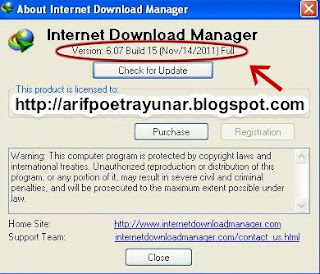
Baru beberapa hari yang lalu saya update IDM / Internet Download Manager. Dan sekarang IDM / Internet Download Manager sudah Update versi kembali yaitu IDM | Internet Download Manager 6.07 build 15.

Download IDM | Internet Download Manager 6.07 build 15 Full Patch Keygen
IDM | Internet Download Manager 6.07 build 15 Full Patch Keygen

Apa yang baru dari versi sekarang? sedikit penambahan dari versi sebelumnya.

Whats new in version 6.07 build 15?
(Released: Nov 14, 2011)
  • Added support for Firefox 9
  • Fixed bugs

Download IDM 6.07 build 15 Full Patch

Link: [ MediaFire ] or [ Ziddu ]


Di dalam Rar nya sudah saya berikan file Patch "SnDk&p.exe", agar Internet Download  Manager / IDM tersebut menjadi Full Version, dan cara Aktivasi supaya Internet Download  Manager / IDM nya menjadi Full Version bisa baca disini

jika Anda hanya ingin Download "Patch" Internet Download Manager / IDM 6.07, silahkan klik disini

dan buat anda yang Internet Download Manager / IDM nya di Block atau Fake serial Number bisa baca disini
Read More..

HP 15 Windows 7 and Windows 8 Driver

Minggu, 03 Juli 2016

Model: HP 15 Notebook PC
Manufacture: Hewlett Packard
Compatibility: Windows 7, Windows 8, Windows 8.1 (32-bit and 64-bit)

Note: 
1. Windows 8 below referring to both windows 8 and windows 8.1
2. If you need help to undestand windows 32-bit and 64-bit you can read here.

Recommendation:
1.  Minimum RAM by default (before upgrade) is 6GB and MAX 16GB, so it is strongly recommend to use 64 bit version of windows 7 or windows 8.
2. Run automatic updates if you want to check and obtain latest WDDM/WHQL drivers.
3. Latest updates for the driver also available on the manufacture site:
-Graphic: AMD site
-Touchpad : Synaptic site
-Wireless, LAN, Card Reader: Realtek site

Audio
Realtek High Definition Audio Driver
Version 6.0.1.7004 Rev. A 182MB Windows 7/8 32-bit  
Version 6.0.1.7083 219MB Windows 7/8 64-bit

Graphic
AMD High Definition (HD) Graphic Driver
Version 13.11 Beta  Windows7/8 32-bit
Version 13.152.1.3000 310MB Windows 7/8 64-bit

Touchpad
Alps Touchpad Driver
Version 7.5.1711.125 A Windows 7 32-bit
Version 8.0.1611.102 Windows 8 32/64-bit
Version 8.201.1711.126 50MB Windows 7/8 64-bit

Touchpad
Synaptic Touchpad Driver
Version  13.2.1.0 A 27.63MB Windows 7 32-bit
Version 16.2.10.12 125.7MB windows8 32/64-bit
Version 17.0.15.0 147.96MB Windows 7/8 64-bit

Button
HP Wireless Button Driver
Automatically installed in windows 7 (or install win 8 driver on win 7 system)
Version 1.1.2.1  2.82MB Windows 8 32/64-bit
Having scroll problem in windows 8? Download and Install this driver

LAN -Ethernet
Realtek PCIe FE/GBE Family Controller LAN Driver
Version 7.25.824.2010 5.36MB Windows 7 32/64-bit
Version 8.20.815.2013 7.22MB Windows 8 32/64-bit

Wireless
Mediatek 802.11 Wireless LAN Adapter Driver
Version 5.0.25.0 34.32MB Windows 7/8 32 and 64-bit
Version 5.0.37.0 39MB Windows 8 32/64-bit

Wireless
Realtek RTL8188EE 802.11b/g/n Wireless LAN Driver
Version 2010.1.0506.2013 28MB Windows 7/8 32/64-bit
Version 2012.3.913.2013 21MB  Windows 8 32/64-bit

Bluetooth
Qualcomm Atheros QCA9000 Series Bluetooth 4.0+HS Driver
Version 1.00 381.01MB Windows 7/8 32/64-bit
Version 1.00 6.57MB Windows 8 32/64-bit

Card Reader
Realtek USB 2.0 Card Reader
Version 6.1.7100.30093 A 7.44MB Windows 7 32/64-bit
Version 1.30 11.39MB Windows 8 32/64-bit

Webcam
Cyberlink Youcam Software
Version 5.0.2.3603 145.13MB Windows7/8 32/64-bit

Security
HP Simple Pass Identity Protection Software
Version 8.00.57 90.65MB Windows 7/8 32/64-bit


Driver Information:


1. Graphic driver support 8000 series, AMD Radeon HD 8210
AMD Radeon HD 8330
AMD Radeon HD 8400
AMD Radeon HD 8280

2. Mediatek Driver support following chip:
Mediatek MT7630E 802.11bgn Wi-Fi Adapter
Ralink RT3090 802.11b/g/n WiFi Adapter
Ralink RT3290 802.11b/g/n Wi-Fi Adapter
Ralink RT3592 802.11a/b/g/n WiFi Adapter
Ralink RT5390 802.11b/g/n WiFi Adapter
Ralink RT5390R 802.11b/g/n WiFi Adapter

3. Bluetooth support the following chip:
Qualcomm Atheros AR3012 Bluetooth 4.0 + HS Adapter
Qualcomm Atheros AR9462 Bluetooth 4.0 + HS Adapter
Qualcomm Atheros QCA9565 Bluetooth 4.0 + HS Adapter
Atheros AR3011 Bluetooth 3.0 + HS Adapter

4. Applicable Model:
This drivers is valid for all HP 15 model, for example:
HP 15-d017cl Notebook PC (ENERGY STAR)
HP 15-d038ca Notebook PC (ENERGY STAR)
HP 15-g019wm Notebook PC (ENERGY STAR)
HP 15-g029wm Notebook PC (ENERGY STAR)
Read More..

Pengiriman Notebook Dunia Alami Penurunan 15 Persen

Kamis, 23 Juni 2016

Pengiriman Notebook Dunia Alami Penurunan 15 Persen
Bisnis PC Desktop sepertinya bukan satu-satunya yang mengalami penurunan permintaan. Notebook juga terkena imbas dan tengah mengalami penurunan permintaan di pasaran. Hal tersebut terlihat dengan adanya penurunan pengiriman notebook sebesar 15 persen dibandingkan tahun lalu.

Lembaga analis Gartner dan iSuppli pun sependapat dengan adanya penurunan pengiriman tersebut. Lebih detail, pada kuartal 2013 ini terdapat penurunan pengiriman notebook sebesar 15.4 persen. Tren buruk ini pun memperparah kondisi di kuartal sebelumnya yang juga mengalami penurunan sebesar 13.7 persen.

Namun tak semua perusahaan produsen notebook mengalami tren yang buruk. Paling tidak terdapat dua perusahaan, yakni Dell dan Lenovo yang mengalami tren positif. Dua perusahaan tersebut mengalami kenaikan permintaan sebesar 1.8 persen.

Penurunan ini pun diduga akibat tingginya permintaan akan tablet dan smartphone. Dengan membeli sebuah tablet, konsumen bisa lebih mobile dan bahkan dapat menyimpan uang ekstra, karena harga tablet kini bisa diperoleh dengan harga jauh lebih murah.
Read More..

HP ENVY 15 Drivers Windows 7

Selasa, 21 Juni 2016

Installation Notes:
1. Please Install according to order given..
2. x86 refer to 32-bit, and x64 refer to 64-bit.
3. Windows 8 Drivers can be use and compatible with windows 8.1.
4. If you want to make backup for each windows 7 and windows 8 drivers, note that there are drivers that compatible with both windows 8 and windows 7. So can identify by look at the driver version and file size, so you don;t have to download the same driver twice. I put it in the different section so you don;t have to scroll up and down to download the drivers.


HP ENVY 15 Windows 7


Chipset
Intel Chipset Driver
Version 9.1.1.1020 (2.00 A) , 2.94MB
Windows 7 x86/x64 : Download 

Storage
Intel Rapid Storage Technology
Version 12.5.3.1004, 17.83MB
Windows 7 x86/x64 : Download

Intel TB
Intel Turbo Boost Technology
(Only for model with i5 processor)
Version 1.2.1002, 1.43MB
Windows 7 x86/x64 : Download

Graphic
ATI Mobility Radeon Driver (HD 4830/5730/5830 )
Version 8.712.0.0, 127.37MB
Windows 7 x86/x64 : Download

Audio
IDT High Definition HD Audio Codecs
Version 6.10.6479.0
Windows 7 x86/x64: Download

Card Reader
Realtek USB 2.0 Card Reader Driver
Version 6.1.7100.30094 A, 7.47MB
Windows 7 x86/x64 : Download

USB
Renesas Electronics USB 3.0 Host Controller
(Only for model with Intel i7 processor!)
Version 2.1.19.0, 8.0MB
Windows 7 x86/x64 : Download

Input Device
HP Quick Launch Button
Version 6.50.18.1, 26.04MB
Windows 7 x86/x64 : Download

LAN -Ethernet
Qualcomm Atheros AR8131/AR8151 PCIe Gigabit Ethernet Controller
Version 2.0.12.13, 5.7MB
Windows 7 x86/x64 : Download

Bluetooth
Broadcom 2070 Bluetooth Driver
Version 6.5.1.3700, 236.18MB
Windows 7 x86/x64 : Download

Webcam/Camera
Chicony/Bison Camera Driver
Version 1.9.0.0 , 3.6MB
Windows 7 x86/x64 : Download

Touchpad
Synaptics Touchpad Driver
Version 16.6.1.3, 135MB
Windows 7 x86/x64 : Download

Security
HP Mobile Data Protection Sensor
Previously know as HP ProtectSmart and HP 3D DriveGuard
Version 4.2.9.1, 9MB
Windows 7 x86/x64 : Download

Important note for wireless:
There are 3 applicable driver for wireless. Choose it base on your specification. You need to identify and select the driver base on your WiFi card. You can read my guide here on how to identify your wireless driver

Wireless - Ralink
Ralink 802.11 b/g/n Wifi Adapter
Version 2.00 , 9.77MB
Windows 7 x86/x64 : Download

Wireless - Intel
Intel PRO/Wireless Driver
Version 13.2, 13.12MB
Windows 7 x86/x64 : Download

Wireless - Atheros
Atheros Wireless LAN Driver
Version 1.00, 20.91MB
Windows 7 x86/x64 : Download

Bluetooth - Utility
Software Support For HP Integrated Module with Wireless Technology
Version 7, 57.64
Windows 7 x86/x64 : Download
Read More..

Lenovo Y570 086262U 15 6 Inch Laptop Dusk Black

Sabtu, 26 Maret 2016


Price: $1,151.61
amazon button

Product Description

The IdeaPad Y570 notebook is optimized for high-definition entertainment. This 15.6" widescreen notebook offers a range of multimedia innovations. Theres one-touch audio-visual settings with OneKey Theater II; enhanced audio quality thanks to SRS Premium Sound and JBL designed speakers; while Lenovo Rescue System provides peace of mind with easy data back-up and recovery. The IdeaPadY570 features up to 2nd generation Intel Core i7 processors with Intel Turbo Boost Technology 2.0. And Lenovo Enhanced Experience 2.0 for Windows 7 with RapidDrive technology ensures that this PC starts up to 20 seconds faster than a typical Windows 7 computer.


Product Details

  • Amazon Sales Rank: #1388 in Personal Computers
  • Color: Dusk Black
  • Brand: Lenovo
  • Model: 086262U
  • Number of items: 1
  • Dimensions: 15.20" h x 1.40" w x 10.00" l, 5.95 pounds
  • CPU: Intel Core i7 2.2 Hz
  • Memory: 8GB Unknown
  • Hard Disk: 750GB
  • Graphics: GeForce GT 555M 1000MB
  • Processors: 1
  • Battery type: Lithium Ion
  • Native resolution: 1336 x 768
  • Display size: 15.6

Features

  • Intel 2nd Generation Core i7-2670QM
  • 15.6" HD (1366x768) LED backlight
  • 8GB DDR3, 750GB storage
  • NVIDIA GeForce GT555M Discrete Graphics, 1GB dedicated video memory
  • JBL Brand Speakers
Auto Post
Read More..

Download IDM 6 15 Build 9 Full Version With Patch

Kamis, 10 Maret 2016

IDM 6.15 Build 9


Whats new in version 6.15 Build 9?

  • Updated extension  for google chrome
  • Fixed bugs

Download IDM 6.15 Build 9 Full Version

Link Download --> |IDM 6.15 Build 9| |Patch|
Read More..

15 penemuan pertama di dunia informasi

Senin, 01 Februari 2016


15 penemuan pertama di dunia | informasi

berikut adalah 15 penemuan di dunia yang masih pertama kali ada :


1. Kamera Digital Pertama Di Dunia (1975):Karya Insinyur Kodak, Steve Sasson

Pada Desember 1975, Kodak insinyur Steve Sasson menciptakan sesuatu yang akan merevolusi fotografi: kamera digital pertama di dunia. Itu adalah seukuran pemanggang roti, dan menangkap gambar hitam dan putih pada resolusi 100 × 100 - atau 0,01 megapixels dalam terminologi pemasaran. Gambar yang disimpan pada pita kaset, mengambil 23 detik untuk menulis. Kamera menggunakan ADC dari Motorola, lensa dari kamera film Kodak, dan sebuah chip CCD dari Fairchild Semiconductor - teknologi yang sama dengan kamera digital yang masih digunakan hari ini. Untuk pemutaran gambar, sebuah komputer khusus dan tape pembaca (digambarkan di bawah) dibangun, keluaran gambar yang kasar pada TV standar. Butuh lebih 23 detik untuk membaca setiap gambar dari kaset.

2. Motel Pertama Di Dunia(1925): Motel Inn
Motel Inn di San Luis Obispo, California, adalah motel pertama di dunia. Dibangun pada tahun 1925 oleh arsitek LA Arthur Heineman, yang menciptakan istilah motel yang berarti "motor hotel." Motel Inn ini awalnya disebut Milestone Mo-Tel.Harga permalam adalah $ 1.25. Heineman tidak mampu membayar biaya pendaftaran merek dagang, sehingga para pesaing dapat menggunakan kata "motel." Motel ini masih beroperasi hari ini.

3.Sampul Album Pertama Di Dunia (1938): Smash Song Hits oleh Rodgers and Hart
Sebelum Alex Steinweiss (23th), merancang cover, album yang diciptakan pada tahun 1938 untuk Columbia Records, dijual dalam bungkus kertas cokelat polos. Album "Smash Song Hit oleh Rodgers and Hart" adalah sampul album pertama di dunia.

4. Novel Pertama Di Dunia (1007): Tale of Genji
Pada tahun 1007, seorang wanita dari pengadilan Jepang menempatkan sentuhan akhir pada apa yang dianggap sebagai novel pertama di dunia. Rentang 75 tahun, lebih dari 350 karakter, dan penuh dengan puisi romantis, yang bercerita tentang seorang putra kaisar, pencariannya akan cinta, dan banyak perempuan yang memenuhi syarat di sepanjang jalan. Di tulis oleh bangsawan Jepang Murasaki Shikibu.

5.Web Server and Web Site Pertama Di Dunia (1990): NeXT computer di CERN
Info.cern.ch adalah alamat pertama di dunia sebagai situs web dan web server, berjalan pada sebuah komputer NeXT di CERN. Halaman web pertama ber-alamat di http://info.cern.ch / hypertex t / WWW / TheProject. html, yang dibuat oleh Tim Berners-Lee.


6. Sepeda Motor Pertama Di Dunia (1885): Daimlers "riding car"
Sepeda Motor Pertama dirancang dan dibangun oleh penemu Jerman Gottlieb Daimler dan Wilhelm Maybach di Bad Cannstatt (Stuttgart) pada tahun 1885. Pada dasarnya adalah sebuah sepeda motor, meskipun disebut penemunya dengan Reitwagen ( "naik mobil"). Itu juga merupakan kendaraan pertama yang bertenaga minyak.


7. Sinar-X Pertama Di Dunia (1895): tangan istri Rntgen
Pada tahun 1895 Wilhelm Conrad Rntgen, profesor fisika Universitas Wurburg di Jerman, sedang melakukan eksperimen dengan lucutan listrik di dalam tabung kaca dievakuasi. Akhir tahun 1895 Wilhelm Rntgen sendirian di malam hari menjalankan percobaan, kali ini dalam gelap dan melihat cahaya diproduksi di dinding, yang ia tahu bukan disebabkan oleh cahaya lampu neon. Dia beri nama, sinar X atau jika Anda lebih suka; X-ray. Setelah beberapa bulan bermain dengan penemuan ini, dia melihat bahwa tempat benda-benda di jalur sinar bisa menghasilkan bayang-bayang dan menciptakan gambar-gambar di dinding. Segera setelah dia menggunakan piringan dan memfoto istrinya, Frau Rntgen, menempatkan tangannya di jalur X-ray, dan menciptakan gambar sinar-X pertama di dunia. Pada tahun 1901 Wilhelm Rntgen dianugerahi Penghargaan Nobel dalam Fisika untuk penemuan ini.


8.Mouse Komputer Pertama Di Dunia (1964): oleh Douglas Engelbart
Mouse komputer pertama di dunia dibuat oleh Douglas Engelbart pada tahun 1964, terdiri dari dua roda gigi yang diposisikan tegak lurus satu sama lain - memungkinkan gerakan pada satu sumbu. Bentuk Ergonomis, penempatan tombol besar - dan itu terbuat dari kayu.


9. Gedung Pencakar Langit Pertama Di Dunia (1885): Home Insurance Building di Chicago
Dianggap sebagai pencakar langit pertama di dunia karena bangunan arsitektur yang unik dan frame bantalan unik yang berat, Bangunan ini dibangun pada tahun 1885 di Chicago, Illinois dan dihancurkan pada tahun 1931 untuk membangun Field Building (sekarang Gedung LaSalle National Bank). Itu adalah bangunan pertama yang menggunakan baja struktural dalam bingkai, namun sebagian besar strukturnya terdiri dari cor dan besi tempa.


10. Mobil Konsep Pertama Di Dunia (1938): Buick Y-Job
Dirancang pada tahun 1938 oleh desainer terkenal Harley Earl dari General Motor, Buick Y-Job dianggap oleh sebagian besar menjadi mobil konsep yang pertama.


11. MP3 Player Pertama Di Dunia (1998): MPMan 32MB
Dirilis pada tahun 1998, Eiger Labs MPMan adalah MP3 Player pertama di dunia, dengan memori internal 32MB - expandable to 64MB. Tersedia dalam model F10 atau F20, yang terakhir dengan kompatibilitas SmartMedia, player ini seharga $ 69 + shipping. Ukurannya 91 x 70 x 16.5 mm.


12. Teka-Teki Silang Pertama Di Dunia (1913): oleh Arthur Wynne
Pada tahun 1913, Arthur Wynne memiliki tugas merancang halaman teka-teki mingguan for Fun, komik delapan halaman bagian dari New York World, sebuah koran besar dari waktu. Ketika ia menciptakan apa yang disebut Word-Cross untuk edisi Natal, yang diterbitkan di 21 Desember, ia tidak tahu bahwa ia akan memulai sebuah kegemaran baru di seluruh dunia.


13.Microprocessor Pertama di Dunia (1971): Intel 4004
Pada bulan November 1971, sebuah perusahaan bernama Intel memperkenalkan mikroprosesor chip tunggal pertama, Intel 4004 (US Patent # 3.821.715), diciptakan oleh insinyur Intel Federico Faggin, Ted Hoff, dan Stan Mazor. Setelah penemuan sirkuit terpadu ini yang kemudian merevolusi desain komputer. Intel 4004 membuat sirkuit terpadu maju satu langkah lebih jauh dengan menempatkan semua bagian yang membuat komputer berpikir (misalnya central processing unit, memori, input dan output kontrol) pada satu chip kecil.


14. Majalah Pertama Di Dunia (1731): The Gentlemans Magazine
The Gentlemans Magazine, pertama kali diterbitkan pada tahun 1731, di London, dianggap telah menjadi majalah pertama. Edward Cave, yang mengedit The Gentlemans Magazine di bawah nama pena "Sylvanus Urban", adalah orang pertama yang menggunakan istilah "majalah", di analogi dari sebuah gudang militer dari berbagai material, yang aslinya berasal dari bahasa Arab makazin "gudang". Dan berhenti terbit pada bulan September, 1907.


15. Foto Pertama (1826): "View from the Window at Le Gras"


semoga bisa menambah wawasan pengetahuan kita sob!!
semoga bermanfaat !!
Read More..

Dell XPS 15

Rabu, 08 Januari 2014

The new XPS 15 (also called the XPS L501X) is a completely redesigned multimedia notebook from Dell. Sporting a JBL sound-system with subwoofer, NVIDIA GT420M dedicated graphics, and an Intel Core i5 processor, this system is designed with performance and entertainment in mind. In this review, we take an in-depth look at the new XPS and see how it stacks up against the competition.

Our Dell XPS 15 Specifications:
  • Intel Core i5 460M Processor (3MB cache, 2.53GHz)
  • 15.6-inch 1366 x 768 glossy display with LED backlighting
  • NVIDIA GeForce GT420M with 1GB DDR3
  • Windows 7 Home Premium (64-bit)
  • 6GB DDR3 memory
  • 500GB 7200rpm HDD (Seagate Momentus 7200.4)
  • Realtek gigabit ethernet and Intel 1000 802.11b/g/n wireless
  • Bluetooth 3.0
  • 6-cell Li-ion battery (56Wh)
  • Dimensions: 15 x 10.4 x 1.3-1.5-inches
  • Weight: 6.21lbs
  • MSRP: $899.99 (Closest configuration)
Build and Design
The new Dell XPS 15 has a silver on grey color scheme, using metal panels and plastic for the body. Compared to past XPS designs that were trend setters that distinguished themselves from the lower models, the new XPS doesnt seem to spark much visual interest. In theory, mixing alloy panels with a brushed metal palmrest and backlit keyboard usually yields good results. The redesigned XPS 15 doesnt seem to really set itself apart, though, from the standard Inspiron 15R until you take a much closer look. Standing back five feet, the panels look like average plastic on the exterior, and the body itself even seems more bloated than the 15R. Overall, it seems like Dell missed a big opportunity to make the XPS-series the unique notebooks they once were. The result is a rather bland looking multimedia notebook where its budget-oriented sibling --the Inspiron 15R--outshines it.

Nevertheless, the XPS 15 feels nicer than it looks. The metal panels on the interior and exterior add strength to the body, reduce flex, and give the notebook a high-quality feel. Holding the notebook for the first time is a weird experience, as most of the panels look like plastic until you feel the cold metal. The screen cover does a very good job at protecting the display from impacts and seems to resist flexing when opening the screen from one of the front corners. The inside of the notebook features a large brushed metal panel that makes up the palmrest and keyboard surround. The bottom of the notebook is completely plastic (including the access panel) but still resists flex and feels durable. The only problem we noticed was the high use of plastic clips holding most of the notebook together (in addition to metal screws).

Users looking to upgrade the Dell XPS 15 will find it easy or not so easy, depending on which components they are looking to swap out. The single access panel on the bottom of the notebook houses the two sticks of RAM, wireless card, and WWAN/TV tuner slot. To get at the hard drive, you must fully disassemble the notebook, which isnt a task for the faint hearted. We counted about 16 screws, but didnt want to go further and risk breaking plastic clips or gouging the trim around the perimeter. Thats an awful amount of work just to swap out a hard drive for a full-sized notebook.
notebookreview.com

Read More..

Lenovo Laptop Reviews Lenovo G570 4334DBU 15 6 Inch Laptop Black

Senin, 09 September 2013

Lenovo Laptop Reviews Lenovo G570 4334DBU 15.6-Inch Laptop (Black)
Lenovo Laptop Reviews This is a very attractive laptop. has a 4 GB DIMM RAM and also has five hundred GB, and has a very thin thickness is 15.6 inch, powerful battery for up to four hours, etc.. to see all of the excess can be viewed below.
Lenovo Laptop Reviews
Lenovo Laptop Reviews 2


Lenovo Laptop Reviews


Lenovo Laptop Reviews 3


Lenovo Laptop Reviews


Price : in here
For more details please see in here
I thank you for visit here.
BK99FUW2BRRZ
Read More..

Dell Studio 15

Senin, 02 September 2013

Dell Studio 15 


Now comes another new innovation from Dell. Laptops are commonly called to as Design and Performance Laptop Very Cool. This notebook has a choice of six colors, namely Plum Purple, Pink Promise, Midnight Blue, Ruby Red, Spring Green and Black Chainlink standards. Studio 15 from Dell is using the case "XenoMayan", a 15-inch screen size. Dell offers a balance of features and performance in accordance with the price. However, unfortunately the quality of the speakers are still weak, and the lack of port selection. 

The excess notebook Dell Studio 15 (1555):
• good customization options
• Performance with a good value
• Casing design a cool Dell Studio

And the downside:
• speakers are not good
• Lack of USB ports
• The quality is still average

Notebook specifications and Dell Studio 15 (1555):
• operating system Windows Vista Home Premium (SP1, 32-bit)
• Processor Intel Core 2 Duo P8600 (2.4GHz, 3MB L2 Cache, 1066MHz FSB)
• Display 15.6 "High Definition (1920x1080) High Brightness LED with TrueLife and Camera
• Memory 3GB DDR2 SDRAM 800MHz
• Chipset ATI Mobility Radeon HD 4570 (256MB)
• 250GB 7200RPM SATA hard disk
• Optical drive 6X Slot Load Blu-ray (BD) Combo Drive (BD Read  Only)
• Dell Wireless 1397 802.11g Half Mini-Card
• Dell Wireless 370 Bluetooth Internal (2.1)
• Weight: 5.8 lb, including 9-cell battery
• Dimensions: 14.6 x 1.0-2.0 x 10.0 inches with a 9-cell battery (H x W x D)
• Battery: 9-cell 85Wh
• Warranty: 1 year
• Price estimates: $ 1,299
Read More..

Dell Inspiron 15 Notebook Customizable

Sabtu, 24 Agustus 2013


Dell Inspiron 15 Notebook - Customizable

Storage
Number of Storage Drives Included 1
Included Drives DVD+-RW DL
Hard Drive Capacity 250 GB
Software
Operating System Microsoft Windows Vista Home Basic
General
normalized-Installed Memory 3000
normalized-Display Size 15.6
normalized-Cache Size 1
Memory
Memory Technology DDR2
Maximum Memory 4 GB
Installed Memory 3 GB
Warranty
Warranty Information 1 Year Limited Warranty
Dimensions
Height 1.02 in
Width 14.7 in
Depth 9.6 in
Weight 5.8 lbs
Display
Display Size 15.6 in
Display Type Active Matrix LCD (TFT)
Max Resolution 1366 x 768 (WXGA)
Aspect Ratio 16:10
Video Chipset Intel Graphics Media Accelerator 4500 MHD
More Info
URL http://www.dell.com/
System
Input Devices Keyboard|Touchpad
Interface Connection Audio - Line In (1/8" Mini)|Audio - Line Out (1/8" Mini)|Bluetooth|Ethernet - RJ45|USB - Universal Serial Bus 2.0|VGA
Slots Express Card 34
Features
Included Network Card Ethernet (10/100 Mbps)|Wireless Ethernet - IEEE802.11b|Wireless Ethernet - IEEE802.11g
Processor
Cache Size 1 MB
Bus Speed 800 MHz
Processor Speed 2 GHz
Processor Class Intel Pentium Dual-Core Mobile

Read More..

Dell Studio 15 First Thoughts

Kamis, 15 Agustus 2013


The Dell Studio 15 is a fittingly named 15.4" screen multimedia notebook targeted at those who want a nicely designed system that can dual as a very capable computer for work needs and as an entertainment system during those times you want to unwind and enjoy something like a movie. The Studio 15 has a large enough screen to make watching movies on it comfortable, yet its not so big that you couldnt take this around campus. Since the Studio 15 can be had for around $1,000 nicely configured or under $1,000 for a more budget model it can fit either a tight budget or one with a bit of room to spend.


Buying Choices for the Dell Studio 15 Laptop Computer (Intel Core 2 Duo T8100/)
Dell, Inc. | $1,124.00


100.0% of people recommend this product - view 2 opinions | rate product


(view large image)

The Studio 15 has multiple lid color selections available. If you choose a painted lid such as red, blue, orange, black, green or purple the paint job is very durable and will not scratch. An optional glossy finish lid with varying designs is also available if you prefer the shiny look (although beware of the fingerprints the lid will attract with such a design).

The Studio 15 we obtained has a Ruby Red colored lid. It was purchased from Staples where they offer set configurations of the Studio 15, our budget configuration cost $799. If you want to completely customize a Studio 15 then the best route to go is via Dell.com. In our full review well also be featuring a Dell.com custom ordered Studio 15 machine with an orange colored lid - well give feedback on the order and shipping that occurs with that process. The specs of this particular Studio 15, the S1535-113P from Staples, are as follows:

  • Screen: glossy 15.4" WXGA 1280 x 800 display
  • Processor: Intel Core 2 Duo T5750 (2.00GHz, 667MHz FSB, 2MB Cache)
  • Memory: 3.00 GB RAM
  • Storage: 250GB HD
  • Optical Drive: Slot loading DVD+/-RW
  • Wireless: 802.11b/g
  • Graphics: Integrated Intel X3100
  • Built-in 2.0MP web camera
  • Ruby Red color lid
  • Ports: 4 USB 2.0, HDMI connector, 15-pin VGA video connector, Ethernet 10/100/1000 LAN (RJ45), AC adapter connector, Audio jacks (1 line-in, 1-line out, 1 Mic-in), 4-pin IEEE 1394 port, 54 mm ExpressCard slot, Consumer IR
  • Dimensions: Width: 14.0" (355.6mm), Height: 1.0" (25.3mm) front / 1.3" (33mm) back, Depth: 10.3" (261.5mm)
  • Weight: Starting weight of 6.11 lbs

Staples only had a couple of different color options for the lid, either Ruby Red or Midnight Blue, and only two different set spec configurations were available in the store. However, if you prefer to purchase in a retail store for the ability to more easily return a product and not deal with any shipping waits, then Staples is available for that. So far our custom ordered Studio 15 from Dell.com has taken 20-days to move into "production" and shows no signs of shipping soon. We think thats a little bit long. Its definitely worth comparing the price of retail models to those on Dell.com as there can be quite a variation and you might find that going to a bricks and mortar store can be a better deal, even if you have to sacrifice on a couple of upgrades you might have liked.

The box you get when buying the Studio 15 in a retail store is different from the usual all brown iconic Dell box were used to seeing. From box to out of the package, heres what it looks like:


(view large image)


(view large image)


(view large image)


(view large image)

Design and Looks


(view large image)

As we mentioned before, the Studio 15 comes with varying color options so you can make the notebook "Yours". But the design features dont end there. Dell has followed in the footsteps of HP by having an inlaid design pattern on the casing. Around the keyboard and palm rest area youll find a sort of topographical map design, Dell calls this "Graphite Gray". This design feature is ok, its not as subtle or well integrated as the type of designs HP is using, but given the choice between just a plain old grey color case like weve seen on recent Inspirons versus this design we do prefer whats in place. The brushed aluminum look you get with the XPS series is still better, but thats why you pay more for an XPS laptop.


The drop hinge design on the Studio 15 is borrowed from the XPS line (view large image)

Speaking of XPS design, the Studio 15 actually borrows quite a few design elements from the equivalent sized XPS M1530. The drop hinge design is almost exactly like that of the XPS M1530. The lid paint job finish is also the same as that youll get on the XPS series. The touch sensitive media buttons are very similar to the XPS, though their backlit with white instead of the blue on the XPS. The slot loading optical drive is yet another feature that has been borrowed.


(view large image)

Overall the Studio design is very nice, you can even get a backlit keyboard that makes it look better than the XPS, so in some ways the slightly cheaper Studio 15 looks nicer than the XPS M1530. Unfortunately, with the Staples configuration the keyboard backlight option is not there.


(view large image)


(view large image)


(view large image)


(view large image)

Build Quality

The build quality of the Studio 15 is good. It does have more plastic to it than the XPS design does, but it is in no way flimsy. There arent any glaring weak spots; the feel is quite firm all over. With that said, this doesnt feel quite as rock solid as the old Inspiron 1520 - but that notebook was way too chunky and we prefer the lighter weight of the Studio 15 even if it means its not quite as durable.

Processor and Performance

The Dell Studio 15 line right now only offers the "old" Intel Core 2 Duo inside, not the new Montevina everybody is talking about. Dell launched this laptop a month before Intel updated their processor family, so for the moment the Studios are shipping with the Santa Rosa processor platform. This is of little concern though, the T5750 2.0GHz Core 2 Duo that this budget priced Studio 15 came with is more than adequate enough for any normal work related tasks and can handle most any multimedia work thrown at it as well. The newer Intel processors might get 5 - 10% better processor performance, but you wont notice this change for anything but the most demanding of applications, such as gaming. And since the Studio 15 was not intended as a gaming machine (thats where the XPS comes in), theres not much benefit the new Montevina platform can really provide, though its always nice to have the latest technology of course.

To give an idea of processor performance we ran wPrime, a program that forces the processor to do recursive mathematical calculations, the advantage of this program is that it is multi-threaded and can use both processor cores at once. Below is an example of how this budget T5750 processor holds up relative to other processors (lower scores mean better performance.)

Notebook / CPUwPrime 32M time
Dell Studio 15 (Core 2 Duo T5750 @ 2.00GHz)46.238s
HP Pavilion dv2700t (Core 2 Duo T5450 @ 1.66GHz) 49.793s
HP Pavilion dv6700t (Core 2 Duo T5450 @ 1.66GHz) 50.480s
Dell Inspiron 1525 (Core 2 Duo T7250 @ 2.0GHz)
43.569s
Dell XPS M1530 (Core 2 Duo T7500 @ 2.2GHz)
37.485s
Sony VAIO NR (Core 2 Duo T5250 @ 1.5GHz)58.233s
Toshiba Tecra A9 (Core 2 Duo T7500 @ 2.2GHz)38.343s
Zepto 6024W (Core 2 Duo T7300 @ 2GHz)42.385s
Lenovo T61 (Core 2 Duo T7500 @ 2.2GHz)37.705s
Acer Travelmate 8204WLMi (Core Duo T2500 @ 2.0GHz)42.947s

The Screen

The Studio 15 widescreen display is not the LED variety available as an option on the XPS line, its just your regular CCFL style of display that uses a couple of traditional backlights to illuminate the screen. The screen is nice though, its very bright at around 200-nits. The glossy finish helps to make colors really pop and is especially nice for watching movies. The Studio 15 we have is just a regular 1280 x 800 XGA resolution, you can get higher resolution displays that will allow you to fit more content on the screen and enjoy movies in a higher-defintion format.


(view large image)

If you wanted it to the Studio 15 could double as a PC/Entertainment center for a small area such as a dorm room. The screen is big enough that if youre within 10 - 15 feet viewing is comfortable.

Heat and Noise

The Studio 15 doesnt get too hot, nor is it overly noisy, so youre not going to really distract others in a quiet library like setting when using it. The fans only get audible if they rev up to full speed when youre doing things like light gaming or running benchmarks. By far the loudest characteristic of the Studio 15 is the slot loading drive, which generates a lot of mechanical noise whenever you load in a disc.


(source http://www.notebookreview.com)
Read More..

Apple MacBook Pro 15 laptop

Senin, 05 Agustus 2013

Overview & Introduction Apple laptop

Well be taking a look at Apples MacBook Pro, to be specific the most recently updated model as of June 5th, 2007. The MacBook Pro line is aimed at the professional market, including those who do heavy amounts of video and photo editing. The MacBook Pro is best described as a mid-size desktop replacement, or performance laptop.


Apple MacBook Pro (view large image)

Before I go to far I should say this is not only my first laptop review, but also my first Mac computer. Thus, this review will be geared more toward people considering the MacBook Pro as an alternative option to a Windows based laptop, including some things that would seem trivial to the veteran Mac owner.

MacBook Pro machine specs as purchased

  • Screen: 15.4" LED Backlit Screen @ 1440 x 900 Native Resolution
  • Processor: Intel Core 2 Duo T7500 CPU at 2.2ghz (4MB Shared L2 Cache)
  • Memory: 2GB DDR2 PC2-5300 667mhz RAM
  • Hard Drive: 120GB HDD @ 5400RPM (Fujitsu)
  • Graphics: Nvidia 8600M GT with 128MB VRAM GPU
  • Optical Drive: Slot-loading 8x SuperDrive (DVD+R DL/DVDRW/CD-RW)
  • Wireless: Apple Airport Extreme Wireless B/G/N
  • Built-in Bluetooth 2.0 + EDR
  • Mac OS X 10.4.9 (Tiger)
  • Dimensions & Weight:
    • 14.1" x 9.6" x 1.0" (35.7cm x 24.3cm 2.59cm)
    • 5.4lbs (2.45kg)
  • Cost: $1,999 USD ($1,799 with Education Discount)


Everything in the box: you get the power cord and adapter, two OS discs, one remote control and an instruction manual (view large image)

Reasons for Purchasing

Few other laptops can compete with the sexiness of the MacBook Pros looks. Designed for the professional market, its considered a premium product for the power user. It offers dedicated graphics and the most recent mobile processor platform. The most recent MacBook Pro update to the Intel Santa Rosa platform narrowed the price gap between similar spec PCs closer than Ive seen before, and drove me to take the challenge to be a "switcher". Other laptops that I felt were in a similar market were the ASUS G1S, Compals HEL-80, and HP Pavilion dv6500t series.

I purchased my Macbook Pro at an Apple Retail Store in Nashville, TN at the education discount of $1799 -- a great $200 dollar discount for students and teachers.

Build & Design

The MacBook Pro (hereafter abbreviated as MBP) keeps the same gorgeous design as its predecessors, using an aircraft grade anodized aluminum chassis that provides a sturdy build to the laptop, as well as a sleek, refined and sexy look.


(view large image)

With the lid closed the MBP has a side width of only one-inch. Opening the lid reveals the gigantic one button track-pad, along with the full size back-lit keyboard, and power buttons, all keeping with the shiny silver look of the outside. On the front
placed right beside the latch release is a slot-loading Super Drive, adding even more to the sex appeal of not having the usual tray based drive. The laptop chassis has almost no flex to it, even around the port buttons. The screens hinges are thick and firm, pushing back on the screen from the front shows no visible wobble. Giving a strong push and tap on the back of the screens enclosure doesnt ripple the LCD either, this is impressive and demonstrates a strong lid cover. The case feels extremely sturdy, and doesnt have any signs of give.


Thinner than three CDs stacked (view large image)

I was a little hesitant at first about the MBPs girth, as I originally wanted a much smaller laptop. Weighing in at 5.4lbs, the MBP isnt so bad on the muscles, but its not a lightweight by any means (relative to some thin and lights). The general size is as expected from a 15" laptop. I wouldnt recommend it to anyone that will move constantly with it, and wants it to go unnoticed. But if youre like me and carry a messenger bag around with all your hi-tech toys, the MBP is fine. Its easy to use in your lap, and carrying it around doesnt feel awkward.

Screen

A big improvement for this generation of the MacBook Pro over the last is the introduction of the LED back-lit screen. LED back-lighting is touted to provide a more evenly lit screen with sharper images and colors without sacrificing battery life. All these I find to be true, the screen is without a doubt the best ive ever seen on a laptop, and better than a lot of desktop monitors I use. With the brightness up to full, even in the most well lit rooms, solid whites are almost blinding, which allows you to turn down the brightness and use less battery. In dark rooms, its so bright that it illuminates the keyboard, making it unecessary to use the keyboard lighting! I selected the Matte style screen as opposed to a reflective glossy scree. Im pleased with that decision, the screen is so crisp it makes up for the lack of the higher saturation from the glossy. One other perk is the ambient light sensor, which will adjust the screens brightness according to the lighting in the room.


Showing the excellent dark levels in the screen (view large image)


Color and detail are rich and full (view large image)


Very impressive viewing angles from the side (view large image)

Speakers

You cant expect too much from laptops in the audio category, small spaces dont make for great speakers. The MBP manages to do fairly decently, having plenty of volume, and a clean sound. The optical mini-jack out is a real plus though, allowing you to hook directly up to your surround sound systems that support optical for a great media experience.

Performance

The processor in the model of the MBP I have is Intels Core 2 Duo T7500, with a speed of 2.2GHz on two cores, a front-side bus speed of 800MHz, and 4MBs of L2 cache shared across both cores. This MacBook Pro has an updated GPU in the form of Nvidias brand new 8600m GT, our particular version supporting 128MBs of dedicated VRAM. This version is slightly underpowered compared to the next model up in the MBP series, which has 256MBs of VRAM. Our hard drive is a Fujitsu 120GB drive, spinning at 5400RPMs. The stock amount of RAM included is 2GBs of DDR2 PC5300 clocked at 667MHz.

Following are some benchmarks taken within Mac OS X:

Windows Vista Experience Index


(view large image)

Impressive scores for the MacBook Pro, in Windows or OS X!

Battery

Battery Life on high powered laptops is usually quite dismal, but the MacBook Pro makes some leaps to change that. The new Santa Rosa platform, NVidia graphics chip, and LED backlighting all are touted as being better on the battery. With full brightness, and my usual array of applications going (iTunes, Firefox, Adium, Mail, etc.), I was able to see about 3-hours of battery life, which is okay. Cutting back the screen brightness to half resulted in about 4 hours of battery life. These numbers are achieved when you set OS X to run on "Better Battery Life" operation. Luckily, for the long battery life lovers out there (like myself), there are options for 3rd party extended life batterys.


You can see theres a battery meter on the physical battery as well (view large image)

Heat & Noise

Another situation where powerful laptops usually see a downfall is in generating a lot of heat. The HDD on the MBP can get pretty hot to the touch when under a heavy load such as a 30 gigabyte file transfer, but other than that the case remained mostly cool, only picking up a good bit of warmth when I did my benchmarking. It wasnt enough to have me take it off my lap though. The average temperature after 2.5 hours use on battery while drafting this review with iTunes, Firefox, and installing a couple of packages is below:


Noise levels were almost non-existent on the MBP, you only get a short hum when first booting. I was even suprised to see no increase in noise when benchmarking, this is a very quiet machine.

Keyboard & Touchpad


(view large image)

The MBP has a full size keyboard, and a jumbo size touchpad with, in true Mac fashion, a single large button. The keyboard has a soft feel to it, but still gives excellent feedback when pushing keys. The single massive button touchpad took some time for me to get used to, I am now used to using the "double finger click" though, a technique in which the usual right click can be done by putting two fingers on the touch-pad and tapping. Scrolling can also be done with two fingers, just place them on the touch pad and pull down, up, right or left. The only real issue Ive had is Apples swapping of the Function and Control keys on the bottom-left. The F1-F10 keys are mapped to do various functions such as adjusting the brightness of the screen, volume, numlock, DVI-out control, and managing the keyboard backlights. On the end beside the F12 is a easy eject key for the slot-loading drive.


(view large image)

Input & Output Ports

The MBP comes swith a wide array of ports. Lets look :


Left side ports (view large image)

On the left hand side we find Apples MagSafe power adapter, one of the two USB2.0 ports, optical audio in & out ports, and Express Card slot. Quarter Not included.


Right side ports (view large image)

And on the right, a Kensington Notebook Lock hole, the second USB2.0 port, Firewire 400, Firewire 800, Gigabit Ethernet RJ45, and DVI out.

Wireless & Bluetooth

Apple has built-in Airport Extreme to this MBP, featuring wireless connectivity to 802.11 b/g/n networks. The signal strength and range it acquires is excellent, picking up networks I didnt even know were near my house, along with my own. Bluetooth is also built-in, but I have yet to find a use for it, but probably will find a mouse for it in the next few days to continue to keep the limited USB ports free.

Operating System & Bundled Software

The MBP comes preloaded with Apples latest version of OS X, Tiger (10.4.9). I must say, its a welcome feeling to see something new. OS X is very responsive, and a much easier adjustment than I originally thought. Other software included is Apples iLife suite, bringing alot of great software to you for free. Some of these include iPhoto, iDVD, iTunes, iCal, GarageBand and many many more.

Packaged with your MBP are 2 OS X installation discs, and a manual.

Customer Support

Being early in my switch to the Mac OS and using Apple hardware, Ive yet to to use any Customer Support. Included with the MBP was 90 days of toll free service by phone, and a 1 year standard warranty covering basic hardware issues. The extended warranty, known as AppleCare, runs an extra $340 dollars, but extends your coverage and telephone service by 3 years. You do however, have an entire year to purchase the AppleCare, something I will consider in the next few months.

Buying Choices for the Apple MacBook Pro (Core 2 Duo 2.33GHz, 17-inch)
Circuit City | $2,459.96
Amazon.com | $2,799.99
MAC Connection | $2,349.00

view detailed pricing from 8 stores starting at $2,349.00

89.7% of people recommend this product - view 155 opinions | rate product


Final Conclusions

This is an excellent upgrade to the MacBook Pro, Im extremely satisfied with it so far. Im new to Mac computers, new to OS X, but I am one happy switcher. The MBP would be an excellent choice for anyone looking to purchase a performance laptop, or even desktop replacement. Combine that performance with Apples sexy design, and the MBP is a great purchase.


( From http://www.notebookreview.com )
Read More..