Tampilkan postingan dengan label lifebook. Tampilkan semua postingan

Fujitsu Lifebook BH 531 Harga Spesifikasi

Sabtu, 07 September 2013

Pingin beli Fujitsu Lifebook BH 531? Dari harga dan spesifikasinya, laptop Fujitsu untuk bisnis ini menawarkan harga sedang dengan fitur lumayan untuk keperluan kantoran. Spesifikasinya sendiri tidak bisa disebut mewah dengan bawaan hardware standar saja. Dibanding laptop kelas bisnis dari Fujitsu, seri BH 531 ini adalah model yang paling murah.

Hadir dengan memakai processor Intel Core i3-2310M 2,1 GHz, RAM DDR3 4 GB, dan harddisk 500 GB, adalah biasa untuk laptop kelas ini. Memang sudah cukup untuk keperluan komputasi normal. Dengan harga di kisaran 7 juta rupiah, tentu anda memerlukan lebih banyak alasan untuk membelinya. Adakah?

Kelebihan Fujitsu Lifebook BH 531

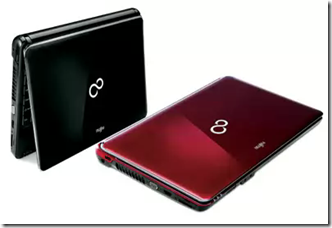
Fujitsu Lifebook BH 531Salah satu alasan mengapa Lifebook BH 531 termasuk sebagai laptop bisnis yang laris adalah karena selain memiliki VGA Intel HD, untuk urusan grafis, dia juga dilengkapi dengan chip grafis nVidia GeForce 410M (dedicated) dengan teknologi Optimus. Kehadiran chip grafis dedicated membuat laptop yang satu ini akan sanggup menjalankan aplikasi berbasis video dengan lancar. Itu artinya, anda bisa memilih chip grafis mana yang dipakai sesuai dengan pekerjaan yang anda lakukan. Ini berimbas besar pada boros tidaknya baterai.

baca juga: Cara Menghemat Baterai Laptop

Kalau anda membeli BH 531 ini, sedikit kekhawatiran keyboard laptop tertumpahi minuman akan sedikit berkurang. Keyboardnya dilengkapi dengan fitur anti-spill. Dengan sistem antispill-nya Anda bisa membersihkan percikan air di notebook dengan mudah.

Selain itu, karena ini adalah laptop bisnis, ada satu lagi kelebihannya, yaitu garansi sampai 3 tahun. Anda tidak akan menemui garansi sepanjang itu untuk laptop kelas lain. Dengan garansi sampai 3 tahun, bisa diartikan bahwa laptop ini memakai material kelas bagus. Kalau tidak kan  malah Fujitsu bisa bangkrut. Hehe….

Kekurangan Fujitsu Lifebook BH 531

Dari sisi desain, ada beberapa kekurangan yang lumayan mengganggu dan butuh pembiasaan sebelum kita bisa beradaptasi sampai bisa menggunakannya dengan lancar.

  • palm-rest terlalu sempit. Akibatnya, track-pad juga jadi sempit. Padahal di sisi atas terdapat space yang lumayan luas yang hanya ditempati oleh speaker dan tombol power yang terlihat kebesaran, wkwk…
  • keyboard sempit dengan jarak antar tombol huruf yang terlampau rapat. Anda harus membiasakan diri dengan kerapatan tombol keyboard ini untuk mencapai kecepatan pengetikan seperti biasanya anda. Coba saja dulu.
  • Cuman ada tiga port USB 2.0 tanpa port USB 3.0, plus satu port e-SATA combo. Hmmm, seumpama sudah ada port USB 3.0 pasti semakin bagus.
  • dijual tanpa OS. Memang tidak terlalu jadi masalah buat pengguna advance, mengingat install Windows dan driver bukan sesuatu yang tidak bisa dipelajari. Tapi memang bagi pengguna mula ini agak merepotkan. Sudah pemula, punya uang, dan sibuk, pasti lebih memilih untuk membayar orang untuk urusan install OS dah. Hehe….

Spesifikasi Fujitsu Lifebook BH 531

Layar: 13,3 inci, 1366x768 pixel

Prosesor: Intel Core i3-2310M (2,1 GHz, 3 MB L3 cache)

Memori: 4 GB DDR3

Chipset: Intel Cougar Point HM65

Kartu Grafis: Intel HD Graphics + nVidia GeForce 410M

Harddisk: 500 GB 5400 RPM SATA-II

Kartu suara: Realtek ALC269

Optical drive: DVDRW Multi

Fasilitas: WiFi, ethernet, HDMI, USB 2.0 (2x, 1x combo e-SATA), Express Card, webcam, card reader

Sistem Operasi: Non-OS

Baterai: 48 Wh

Dimensi: 32,2x23,4x3,5 cm

Bobot: 2 kg + baterai

Garansi: 3 tahun (1 tahun internasional + 2 tahun lokal)

Situs Web: www.fujitsu.com

Harga Fujitsu Lifebook BH 531 (kisaran)* :Rp7.000.000

Read More..

Fujitsu LifeBook N6470 laptop

Selasa, 27 Agustus 2013


Historically, Fujitsu has made some of the nicest, most well-constructed portable business notebooks around. The companys more consumer-oriented laptops are more of a mixed bag, however, offering features sets that clearly target home users but lacking the strong styling cues of some of its competitors.


In a specs sheet comparison, our 17-inch Fujitsu LifeBook N6470 review unit seems competitive enough. Of more concern is the fact that the N6470, while a solid performer in most respects, may not do enough - in terms of styling or build quality - to justify its slightly high price and entice buyers.


Full specs for the specific N6470 configuration used for this review are as follows:

  • Screen: 17-inch WXGA+ (1440x900)
  • Processor: 2.4GHz Intel Core 2 Duo T8300 (800 MHz FSB, 3MB L2 cache)
  • Hard Drive: 250GB, 4200 RPM SATA x 2 (500GB total capacity)
  • Memory: 3GB DDR2 667 MHz SDRAM (2GB + 1GB)
  • Optical Drive: Dual-Layer Multi-Format DVD-R
  • Ports and Slots: Five USB 2.0, IEEE 1394, multi-format (SD/SDHC/MMC/MS/xD) card reader, HDMI, VGA, S-Video, 10/100 Ethernet, modem, PC Card, ExpressCard, microphone in, headphone out
  • Wireless: Wi-Fi (802.11 a/b/g/n)
  • Graphics: ATI Mobility Radeon HD 2600 (256MB shared and 256MB dedicated memory)
  • Operating System: Windows Vista Home Premium
  • Dimensions: 15.8 x 11.5 x 2.0 inches (WxDxH)
  • Weight: 10.2 pounds
  • MSRP: $1,799 as configured

Styling and Design

Theres not a lot to say here, which may or may not be a good thing, depending on your perspective. For a comparatively expensive, high-spec notebook, this LifeBook doesnt do a lot to assert itself visually. The gray plastic (yes, its all plastic) top vies for the most boring and empty piece of 17-inch real estate weve seen come through the office in awhile.


(view large image)

Opening the lid, things dont get a lot better: a glossy black plastic insert complete with wireless hard switch, volume control, and a four-way controller that can be configured to either provide multimedia controls (play, stop, etc.) or serve as a set of user-defined program "quick access" buttons suggests the N6470 as a multimedia-focused desktop replacement. The rest of the LifeBooks control surface, however, doesnt really follow through on this idea, with a bland keyboard and touchpad design.


(view large image)

(view large image)

Overall, acres and acres of monotonous gray plastic dont commit any styling atrocities, but dont do a lot to distinguish the LifeBook either.

These days, most desktop replacement notebooks include a multimedia remote - often with some sort of innovative in-body storage solution to make sure you can always find the remote when you need it. Fujitsu chose to move in another direction: make the remote so outrageously large that it becomes impossible to lose site of it.


(view large image)

The button layout is fine, and the remote is solid enough: its just the size that makes it seem ridiculous, even for a notebook thats barely portable itself.

Build Quality and Physical Specs

While theres nothing inherently wrong with plastic as a notebook shell material, the N6470 serves as a reminder of everything that can make plastic unappealing for large, heavy notebooks: the lid flexes, the palm rest flexes, the keyboard flexes, the bottom flexes. Picking up the LifeBook one-handed (if you can), it feels like the entire computer is bending precariously under its own weight.

Thin plastics also find their way to the lid latch and button, which are especially unpleasing and look to be in imminent danger of snapping off if forced. Likewise for the retaining tabs on the LifeBooks tiny battery.


(view large image)

(view large image)

So long as it rarely leaves the open position on your desk, you might not find the N6470s lack of solidity concerning, but how well the LifeBook would hold up to even light travel given its apparent lack of ruggedness is worth asking.

At 10.2 pounds and nearly 2 inches thick, portability is obviously secondary with the N6470. Even with all that plastic and a battery designed to save weight more than optimize performance, the LifeBook is still alarmingly heavy, however. While it might work in a limited sense as a portable gaming or graphics device (it is appreciably easier to carry around than, say, my desktop and display), I shudder at the thought of schlepping the LifeBook through an airport. In fairness, this clearly isnt the kind of use that Fujitsus designers had in mind, but with significantly more portable 17-inch models on the market, the Fujitsus weight and bulkiness shouldnt be overlooked either.

Screen

The N6470s screen is truly a bright spot on an otherwise average notebook. The 17-inch display is gorgeous, glossy, and extremely vibrant. Gloss is well controlled without too much glare, and calibrated colors are dead-on accurate as well. Brightness is adjustable in 8 steps.


(view large image)

(view large image)

While horizontal viewing angles are very good (ideal for a multimedia machine), vertical angles arent the best. This would probably only matter greatly, however, if you ever intended to put the N6470 on your lap (and you dont: trust us).

Keyboard and Touchpad

Again, the word of the day here is "flex." Our LifeBook test units keys offered up almost no resistance, making typing a tiring experience. Similarly, the keyboard exhibits some flex before "bottoming out" on an extremely rigid subsurface. On the plus side, keys are well spaced and a full number pad is included as well - expected amenities with a notebook of this size.


(view large image)

The touchpad feels nice enough under your finger, with a little bit of texture, but also shows some odd flex on one side, as though its not completely anchored in place. Buttons offer about the right amount of resistance, however, and arent excessively noisy when clicked.


(view large image)

Ports and Drives

Ports on the LifeBook are as expected for a notebook of this physical size, with five USBs, FireWire, S-Video, VGA, HDMI, and PC Card and ExpressCard slots providing a fairly comprehensive range of connection options. Likewise, the N6470 sports a dual-layer, multi-format DVD writer.

A tour around the N6470 runs as follows:


Front view. (view large image)


Left view. (view large image)


Rear view. (view large image)


Right view. (view large image)

Audio Performance

As seen with the screen, our LifeBooks enormous size and considerable weight come with a few advantages, and the N6470s audio performance is another bright spot. Overall sound quality was rich and even, with a bottom-mounted subwoofer providing particularly satisfying bass response. Theres enough power to drive the system at smaller home-entertainment setup volumes, and distortion is almost nonexistent.

All of this, combined with a great screen, makes movie or TV watching on the N6470 a thoroughly enjoyable experience. If youre a small apartment dweller like I am, the N6470 isnt a half bad TV replacement, but given its generally poor performance as a notebook and rather high price tag, the reasons for choosing this option over a similarly speced desktop with a nice LCD monitor arent entirely clear to me, at least.

Heat and Noise

Though the N6470 lacks Fujitsus trademark heat absorbing felt pads, its not as unbearably warm as might be expected. The back of the notebook can get scaldingly hot when taxed, but given that this isnt likely a notebook that youre going to be putting on your lap, the parts of the computer that the user comes into contact with (i.e. the palm rest area) stays plenty cool.

Below are images with the temperature readings in degrees Fahrenheit.


(view large image)

(view large image)

The LifeBook is also appropriately quiet for home theater use, with a constant but barely audible fan noise when the processor is under load.

TV Tuner

Our LifeBook came boxed with an ExpressCard TV tuner capable of pulling in both analog and digital over-the-air TV signals. Connections are straightforward, with a supplied adapter cord providing conversion for traditional coax cables as well.


(view large image)

In use, the tuner doesnt do a great job of pulling in weaker analog signals with a small antenna. The lack of any kind of built-in antenna is also a touch disappointing, especially given the tuner units not inconsiderable physical size. Assuming you have acceptable signal, however, setting up and using the TV tuner is as easy as any other system using Windows Media Center.

Battery Life

In order to save weight, presumably, the LifeBook sports a tiny (though, at 11 ounces, extremely light-weight) 6-cell, 3200 mAh battery. In this case, the term "battery" probably implies too much: it would be more appropriate to refer to whats in the N6470 as a "battery backup system." It might do for keeping your work saved for a little while if the power goes out, but the idea of really computing with this battery borders on laughable.

Under light use - just above constant idle, really, with the screen at mid-level brightness - battery life barely topped an hour. Put in a DVD and you can expect to be able to watch about half a movie (42 minutes in our test) before the battery is depleted. In a quest for theoretical limits, I fired up my video editing software, turned up the screen brightness, and started hitting the optical (where my source clips were stored) and hard drives hard. The result: Vista forced the N6470 to sleep in a mere 26 minutes. Going back through the archives, this is arguably the worst battery performance weve ever seen from any notebook/battery combo (including Kevins not-TSA-approved "home job" battery rebuild).

Similarly, the LifeBook was painfully slow to charge, often taking several hours to get back anywhere near full power. In general, even given the LifeBooks portliness I for one wouldve taken on another pound of weight in exchange for battery performance capable of getting this model consistently above an hour off the plug.

Performance and Benchmarks

With its 2.4GHz Penryn chipset and decent graphics capabilities, the N6470 makes a perfectly acceptable gaming solution with the caveats about portability and battery life mentioned previously clearly in mind. With the N6470s minimal bloatware excised, start-up times are respectably fast, and general users should find the LifeBook more than fast enough for most purposes.

Below are the various benchmarks we used during the review.

WPrime 32M comparison results

WPrime is a benchmark similar to Super Pi in that it forces the processor to do intense mathematical calculations, but the difference is this application is multi-threaded and represents dual core processors better. Lower numbers indicate better performance.

NotebookTime
Fujitsu LifeBook N6470 (2.4GHz Intel Core 2 Duo T8300, Windows Vista) 32.571s
HP Pavilion HDX (2.6GHz Intel Core 2 Duo T9500, Windows Vista 64)
28.978s
Gateway P-171XL FX (2.8GHz Intel Core 2 Duo X7900, Windows Vista) 30.359s
Toshiba Qosmio G45 (2.50GHz Intel Core 2 Duo T9300, Windows Vista)31.108s
Toshiba Qosmio G45 (2.0GHz Intel Core 2 Duo T7300, Windows Vista) 42.085s
Lenovo ThinkPad T60 (Intel Core 2 Duo CPU T7400@ 2.16GHz, Windows XP)41.40s
HP dv6000z (AMD Turion 64 X2 TL-60 @ 2.00GHz, Windows Vista)38.913s
Sager 9260 (Intel Core 2 Duo CPU E6700@ 2.66GHz, Windows XP )33.718s
Dell Precision M70 (Intel Pentium-M 780 @ 2.26GHz, Windows XP)78.992s


PCMark05 comparison results:

PCMark05 represents the overall system performance of a notebook. Higher numbers indicate better performance.

NotebookPCMark05 Score
Fujitsu LifeBook N6470 (2.4GHz Intel Core 2 Duo T8300, ATI Mobility Radeon HD 2600 256MB) 5,637 PCMarks
HP Pavilion HDX (2.6GHz Intel Core 2 Duo T9500, Nvidia Go 8800M GTS 512MB)
6,921 PCMarks
Gateway P-171XL FX (2.8GHz Intel Core 2 Duo X7900, NVIDIA Go 8800M GTS)
7,749 PCMarks
Toshiba Qosmio G45 (2.50GHz Intel Core 2 Duo T9300, NVIDIA Go 8600M GT)5,865 PCMarks
Toshiba Qosmio G45 (2.0GHz Intel Core 2 Duo T7300, NVIDIA Go 8600M GT)
5,261 PCMarks
Dell Inspiron 1720 (2.2GHz Intel Core 2 Duo T7500, NVIDIA GeForce Go 8600M GT)5,377 PCMarks
Dell Inspiron 1420 (2.2GHz Intel Core 2 Duo T7500, NVIDIA GeForce Go 8400M GS)4,925 PCMarks
Sony VAIO FZ (2.0GHz Intel Core 2 Duo T7300, Intel X3100)3,377 PCMarks
Dell XPS M1330 (2.0GHz Intel Core 2 Duo T7300, NVIDIA GeForce Go 8400M GS)4,591 PCMarks
Lenovo ThinkPad X61 (2.0GHz Intel Core 2 Duo T7300, Intel X3100)4,153 PCMarks
Lenovo 3000 V200 (2.0GHz Intel Core 2 Duo T7300, Intel X3100)3,987 PCMarks
Lenovo T60 Widescreen (2.0GHz Intel T7200, ATI X1400 128MB)4,189 PCMarks
Fujitsu N6410 (1.66GHz Core Duo, ATI X1400)3,487 PCMarks
Alienware M7700 (AMD Athlon FX-60, Nvidia Go 7800GTX)5,597 PCMarks


3DMark06 comparison results:

3DMark06 represents the overall graphics performance of a notebook. Higher numbers indicate better performance.

Notebook3DMark06 Score
Fujitsu LifeBook N6470 (2.4GHz Intel Core 2 Duo T8300, ATI Mobility Radeon HD 2600 256MB) 3,817 3DMarks
HP Pavilion HDX (2.6GHz Intel Core 2 Duo T9500, Nvidia Go 8800M GTS 512MB)
8,791 3DMarks
HP Pavilion HDX (2.4GHz Intel Core 2 Duo T7700, ATI Mobility Radeon HD 2600 XT 256MB) 4,205 3DMarks
Gateway P-171XL FX (2.8GHz Intel Core 2 Duo X7900, NVIDIA Go 8800M GTS)
8,801 3DMarks
Toshiba Qosmio G45 (2.50GHz Intel Core 2 Duo T9300, NVIDIA Go 8600M GT)3,775 3DMarks
Toshiba Qosmio G45 (2.0GHz Intel Core 2 Duo T7300, NVIDIA Go 8600M GT)
2,934 3DMarks
Dell Inspiron 1720 (2.2GHz Intel Core 2 Duo T7500, NVIDIA GeForce Go 8600M GT)2,930 3DMarks
Dell Inspiron 1420 (2.2GHz Intel Core 2 Duo T7500, NVIDIA GeForce Go 8400M GS 128MB)1,329 3DMarks
Sony VAIO FZ (2.0GHz Intel Core 2 Duo T7300, Intel X3100)532 3DMarks
Dell XPS M1330 (2.0GHz Intel Core 2 Duo T7300, NVIDIA GeForce Go 8400M GS 128MB)1,408 3DMarks
Asus F3sv-A1 (Core 2 Duo T7300 2.0GHz, Nvidia 8600M GS 256MB)2,344 3DMarks
Alienware Area 51 m5550 (2.33GHz Core 2 Duo, nVidia GeForce Go 7600 256MB2,183 3DMarks
Fujitsu Siemens Amilo Xi 1526 (1.66 Core Duo, nVidia 7600Go 256 MB)2,144 3DMarks
Asus A6J (1.83GHz Core Duo, ATI X1600 128MB)1,819 3DMarks
HP dv6000t (2.16 GHz Intel T7400, NVIDA GeForce Go 7400)827 3DMarks
Sony VAIO SZ-110B in Speed Mode (Using Nvidia GeForce Go 7400)794 3DMarks


HDtune results:


Hard drive #1. (view large image)


Hard drive #2. (view large image)


Conclusion

While overall performance numbers on the LifeBook more than held their own, this notebook is largely a case of a good specs sheet being let down by a lackluster user experience. With battery life thats little short of awful, an unpleasant keyboard, lots of flex and a generally unappealing look and feel, the N6470 seems to offset its strong characteristics (beautiful screen, quick processor and plenty of RAM, multimedia capabilities) with some noteworthy irritations and disappointments. If the N6470 cost $500 less, it would be much easier to overlook many of these warts, but at its current price there are simply too many good options out there.

Pros:

  • Penryn performance and plenty of memory
  • Superb screen with amazing colors
  • Good multimedia capabilities
  • Serious styling may appeal to those wanting something less "gamer"-ish

Cons:

  • Frightening flex calls build quality into question
  • Keyboard a pain for long-term typing
  • Abysmal battery life
  • A bit boring for our taste

( Source http://www.notebookreview.com )
Read More..

Fujitsu LifeBook T2010 with WWAN

Kamis, 22 Agustus 2013


The Fujitsu LifeBook T2010 is a solid tablet notebook. This updated model has AT&T BroadbandConnect HSPA integrated though. Besides that the design and chassis are the same. I actually have the lower end model with the ULV 1.06GHz Core 2 Duo processor and smaller hard drive. The big question though, does the built-in WWAN make a difference, especially for those road warriors or business professionals who are always on the go? Lets take a look and find out.

Fujitsu LifeBook T2010 Tablet PC specs as reviewed:(price with WWAN is $1,499)

CPUIntel Core 2 Duo ULV 1.06GHz U7500
OSWindows XP Tablet Edition
RAM2GB DDR2 533 MHz SDRAM memory (1GB x 2)
Display12.1" WXGA indoor/outdoor active digitizer display with wide viewing angles
GraphicsIntel GMA X3100
AudioIntegrated speakers
Hard Drive40GB hard drive
Optical DriveNone
I/O ports
  • 2 x USB
  • 1 x VGA - 15 pin
  • 1 x IEEE 1394 (Firewire)
  • 1 x Type I/II PCMCIA slot
  • 1 x Smart Card slot
  • 1 x Media card reader
  • 1 x Microphone-in
  • 1x Headphone
Communications
  • AT&T Broadband HSPA WWAN
  • 10/100/1000 Ethernet
  • Bluetooth 2.0
Dimensions/Weight
  • 11.9" (Width) x 8.8" (Depth) x 1.36" (Thick)
  • 3.5 pounds
Battery/power6-cell Lithium-Ion battery (5-hour life)


(view large image)

Design and Build

The T2010 has a simple design that is sleek and appealing. Right off the bat, you get that business feel. It would be perfect for college students as well, considering it is so small and only weighs in around 3.5 pounds. The graphite color hides dirt very well and keeps the tablet looking professional, but be careful the lid can be scratched easily.


(view large image)

The chassis is solid and there is minimal flex, except for the keyboard area, which I will get to later. There are a few dedicated tablet buttons on the bottom of the screen that change the screen orientation and function. They are very convenient, especially when using the T2010 in tablet mode. This model T2010 has the integrated AT&T Broadband Connect WWAN, so that is what the extra bulge is on the right side, the antenna.


(view large image)

The hinge is solid and feels sturdy. The screen doesnt wobble much, even when tapped. The fact the screen turns in both directions is a nice feature as well. The entire design is solid and the battery being located in the front isnt an inconvenience at all. I thought it may be awkward, but it makes for a nice palm rest. Although, there is no optical drive, the T2010 is packed with a good variety of features and you can always get the docking solution for more.

Display

The active digitizer is great and like I mentioned before the 12.1" WXGA screen is flawless. You can adjust the brightness level to your liking and I didnt notice any graininess. The colors are bright and vivid, so much that I almost forgot I was working with a tablet instead of a notebook.


(view large image)

(view large image)

(view large image)

(view large image)

I didnt have any problems taking notes and since the T2010 has a bi-directional hinge it is great for presentations. I love being able to turn the tablet screen in both directions. It automatically changes orientation in tablet mode as well. The screen does have a glossy finish, but its not that reflective. In fact it has great viewing angles and is readable outdoors.

Processor and System Performance

The T2010 performed about as I expected. It was a little slower on the benchmarks then the first model I reviewed, but this model only has a Core 2 Duo ULV 1.06GHz processor and a 40GB hard drive. The original review unit had the ULV 1.2GHz Core 2 Duo processor and a 100GB hard drive. It still performed tasks with no problems like checking email and surfing the Web. Remember this tablet is for the business minded, not gamers. Its lightweight and portable for a reason.

Comparison Results for PCMark05

PCMark05 measures the systems performance as a whole.

NotebookPCMark05 Score
Fujitsu LifeBook T2010 (Intel Core 2 Duo ULV 1.06GHz, GMA X3100 graphics)2,325 PCMarks
Fujitsu LifeBook P1620 (Intel Core 2 Duo 1.2GHz ULV, Intel 945GMS chipset)2,113 PCMarks
Asus R1E (Intel Core 2 Duo 2.4GHz, GMA 965 chipset)4,679 PCMarks
Gateway C-140x (Intel Core 2 Duo 2GHz, ATI X2300 HD graphics)4,342 PCMarks
Fujitsu LifeBook T4220 (Intel Core 2 Duo 2.2GHz, GMA X3100 graphics)4,171 PCMarks
HP tx2000 (AMD Turion 64 X2 2.3GHz, Nvidia Go 6150 graphics)3,738 PCMarks
Lenovo ThinkPad X61 (Intel Core 2 Duo 1.6GHz, GMA X3100 graphics)3,473 PCMarks
Toshiba Portege M700 (Intel Core 2 Duo 2.2GHz, GMA 965 chipset)3,399 PCMarks
HP tx1000 (AMD Turion X2 2.0GHz, Nvidia Go 6150)3,052 PCMarks
Lenovo ThinkPad X60t (1.66GHz LV Core Duo)2,860 PCMarks
Asus R1F (1.66GHz Core Duo, Intel GMA 950 graphics)2,724 PCMarks
LG C1 (Intel Core Duo 1.2GHz, Nvidia Go 7300)2,568 PCMarks
HP Compaq 2710p (Intel Core 2 Duo ULV 1.2GHz, GMA X3100 graphics)2,453 PCMarks
Fujitsu LifeBook T2010 (Intel Core 2 Duo ULV 1.2GHz, GMA X3100 graphics)2,334 PCMarks
Gateway E-155C (Intel Core 2 Duo ULV 1.06GHz, Intel GMA 950 graphics)2,205 PCMarks
Toshiba R400 (Intel Core Duo ULV 1.2GHz, Intel GMA 950 graphics)2,187 PCMarks

Comparison Results for 3Dmark05

3DMark05 tests the overall graphic capabilities of a notebook.

Notebook3D Mark 05 Results
Fujitsu LifeBook T2010 (1.06GHz ULV Core 2 Duo, GMA X3100 graphics)495 3DMarks
Fujitsu LifeBook P1620 (1.2GHz ULV Core 2 Duo, Intel 945GMS chipset)358 3DMarks
Lenovo ThinkPad T60 (2.0GHz Core Duo, ATI X1400 128MB)2,092 3DMarks
Gateway C-140x (2GHz Core 2 Duo, ATI X2300 HD graphics)1,956 3DMarks
LG C1 (1.2GHz Intel Core Duo, Nvidia Go 7300)1,392 3DMarks
Toshiba Portege M700 (2.2GHz Core 2 Duo, GMA 965 chipset)940 3DMarks
Fujitsu LifeBook T4220 (2.2GHz Core 2 Duo, Intel GMA X3100 graphics)925 3DMarks
Asus R1E (2.4GHz Core 2 Duo, GMA 965 chipset)923 3DMarks
Lenovo ThinkPad X61 (1.6GHz Core 2 Duo, Intel GMA X3100 graphics)812 3DMarks
Fujitsu LifeBook S2210 (1.6GHz AMD Turion 64 X2 TL-52, ATI x1150)810 3DMarks
HP tx2000 (2.3GHz AMD Turion 64 X2, Nvidia Go 6150 graphics)636 3DMarks
HP Compaq 2710p (1.2GHz ULV Core 2 Duo, GMA X3100 graphics)634 3DMarks
Fujitsu LifeBook T2010 (1.2GHz ULV Core 2 Duo, GMA X3100 graphics)566 3DMarks
Toshiba Satellite A135 (1.73GHz Core Duo, Intel GMA 950)519 3DMarks
Gateway E-155C (1.06GHz ULV Core 2 Duo, Intel GMA 950)500 3DMarks

Super Pi

In the below results of Super Pi, where the processor is timed in calculating Pi to 2 million digits:

NotebookTime to Calculate Pi to 2 Million Digits
Fujitsu LifeBook T2010 (1.06GHz ULV Core 2 Duo)1m 54s
Fujitsu LifeBook P1620 (1.2GHz ULV Core 2 Duo)1m 49s
Fujitsu LifeBook T4220 (2.2GHz Core 2 Duo)54s
Gateway C-140x (2GHz Core 2 Duo)58s
Lenovo ThinkPad X61 (1.6GHz Core 2 Duo)1m 10s
HP TC4400 Tablet PC (2.0GHz Core Duo)1m 13s
Asus R1F (1.66GHz Core Duo)1m 20s
HP tx2000 (2.3GHz AMD Turion 64 X2)1m 33s
HP Compaq 2710p (1.2GHz ULV Core 2 Duo)1m 39s
Fujitsu T2010 (1.2GHz ULV Core 2 Duo)1m 40s
LG C1 (1.2GHz Intel Core Duo)1m 49s
Gateway E-155C (1.06GHz ULV Core 2 Duo)1m 58s
IBM ThinkPad X41t (1.5GHz LV Pentium M)2m 02s
Toshiba R400 (1.2GHz ULV Core Duo)2m 10s
Dell Latitude D420 (1.06GHz Core Solo ULV)2m 11s
Fujitsu LifeBook U810 (800MHz Intel A110)6m 22s

HDTune Results

Keyboard/Touchpad/Pen

Dont get me wrong the keyboard has a nice design, its just a little soft and springy for my liking. When you are typing you can actually see the keys flex. If you type fast these soft keys allow for mistakes to happen on accident since they dont give much feedback. However, it is very easy to read since the characters are bolded and plenty big enough and there isnt any shortened keys. Everything looks small though including the space bar because Fujitsu didnt compromise any room on this design. Some users may feel a bit cramped.


(view large image)

There isnt a touchpad just the pointing stick, which is very responsive and easy to get adjusted too. I mean there is barely a palm rest, so where would Fujitsu put a touchpad. Actually the palm rest is the battery, which connects in the front. The location of the battery didnt bother me though and it never got hot. This is definitely the perfect travel companion.

The pen feels solid in your hand and is responsive. It has an eraser too, which is a convenient feature. It is easy to take notes with because the pen flows nicely on the screen and doesnt feel awkward in your hand. Fujitsu even included a tether incase you want to attach the pen to the tablet, this way it never gets lost.

Heat/Noise

I didnt experience any heat issues with the T2010. In fact it ran quite cool almost all the time. The keyboard area never got hot or the bottom. I think Fujitsus famous suede patches along the bottom help reduce the heat as well. They make it more comfortable to hold the tablet on your lap or on your arm in tablet mode. The only heat issue was by the left side fan and that is because when this machine is working hard it blows out a lot of hot air. I mean there is enough heat coming out to keep your hand warm on a cold rainy day.

As for noise, well that is a different issue. The T2010 is actually kind of loud. Even when idling the fan kicks on and it sounds like a hairdryer. You run some benchmarks and you can barely hear yourself talk over it. When the T2010 is overloaded the fan is loud and you can hear it. I dont think it would bother anyone in a classroom, but in a quiet library, other people would notice.

Ports

Overall I am impressed with the T2010. It has a nice array of features including two USB 2.0, IEEE 1394 (FireWire), External monitor/VGA, modem (RJ-11), Gigabit Ethernet (RJ-45), docking connector, headphone jack, and microphone jack. It also has a Type I/II PCMCIA slot, Smart Card slot, and media card reader. All of this is packed into such a small tablet.


Left side view. (view large image)


Right side view. (view large image)


Front view. (view large image)


Back view. (view large image)


Bottom view. (view large image)

Battery

The T2010 gets good battery life. With the standard 6-cell battery in Balanced mode I was pulling almost five hours of usage. This battery sits flush with the tablet design, but you can always get the optional 9-cell battery, which sticks out the front a little and gives you all day computing life. It only takes a little over an hour to fully recharge the T2010 as well, so it is a road warrior.

One problem I did notice on this review unit was the power jack where you plug in the AC adapter to charge the tablet made some static noises everytime I plugged it in, which was annoying.

Speakers

I wouldnt recommend listening to your iTunes on this tablet. I mean the T2010 is lacking when it comes to speakers. It has one little speaker that puts out decent sound, but nothing I would brag about. Another problem is in tablet mode the speaker gets covered, so your sound becomes muffled. I listened to a few rock and jazz songs, which sounded fine at mid-volume level, but once you go above that it gets a little distorted. The headphone and microphone jacks come in handy though. The microphone works great for speech recognition and the headphones make the music quality a little better.

Wireless/WWAN

The T2010, is one of the first notebooks in North America to offer a built-in wireless modem certified to access AT&Ts third-generation (3G) High Speed Packet Access (HSPA) BroadbandConnect wireless network. The ability to have this high speed access allows for faster download speeds and faster upload speeds, which enhances users ability to send large files, such as emails with attachments, videos, photos or business documents.

I tested out the WWAN in many areas around my office and home in the Cincinnati, Ohio area. It worked great at the office and was hit or miss at my house. Downtown in the city I had good luck with connecting and reached way over the expected download speeds of between 600 Kbps and 1,400 Kbps and typical upload speeds between 500 Kbps and 800 Kbps. Besides that, I think that AT&T doesnt have the network coverage that Verizon and Sprint do in my area.

Sometimes I couldnt even connect and when I did it was slow. It isnt supposed to be slow. I really just think it was the network coverage area, so it will probably be fine in most other areas where AT&T is more dominant. Th review unit I tested was a little beat up too, but I think that is because it has been to other reviewers, so I think it was just a network coverage problem. I know we have tested Sprint and Verizon cards before and it depends where you are how it works, same thing with the AT&T WWAN. When it did work though it was great and I had fast upload and download speeds.

Using the Speakeasy.net Speed Test, I ran 4,055 Kbps download speeds and 650 upload speeds on the Atlanta Server. This was also tested in my office where we have wireless Internet services. When I was on the road and testing out the tablet around my house, I got download speeds of 1,150 Kbps and upload speeds of 550 Kbps. I also got kicked off the network sometimes too, so it was kind of tricky to test. I recommend finding out how well AT&T is in your area first before making any decisions.

OS and Software

The T2010 runs Windows XP Tablet Edition as the OS. There wasnt much bloatware either. It did have Norton and a few subscription programs but they were trail offers. Besides that not much, just the typical Windows programs and OneNote.

Conclusion

The T2010 is a solid Tablet PC, with a great bi-directional hinge and beautiful display. I really like Fujitsus screens, the colors are always bright and vivid. The lid can be scratched easily, so be careful with that, but it does hide dirt very well. It is easy to take notes on, give presentations with and portable enough to take anywhere. Great for business professionals or college students. The battery life is good and if you get the 9-cell, you will have all day computing power, as I said before making it a perfect travel companion. The AT&T WWAN worked fine when I had it working and I had plenty of signal strength. I dont think AT&T has the best network coverage in my area, so I think that is why I had some problems.


(source http://www.notebookreview.com)
Read More..

Fujitsu Lifebook P770 high quality Notebook

Selasa, 30 Juli 2013

Fujitsu is one of the main producers of notebooks from Japan, who always release breakthroughs and new innovations in each of its notebook products, Fujitsu LifeBook P770 notebook is a highly reliable and efficient, in Arm with 12-inch screen, this notebook is very comfortable to wear at work, processor technology with Intel Core i7 with turbo boost, the notebook is able to compete with other notebook manufacturer.


notebook LifeBook P770 with the specs, intel core i7 processor, 2GB Memory (DDR3 1066MHz), 12-inch screen, DVD SuperMulti Writer, 320GB of storage media, graphics card Intel HD graphics, a notebook that has a weight of 1.4 kg, is very stable when in use for entertainment media your family, or for office work, premises to 6.5 hours of battery power.

for Internet communication media, this notebook is equipped 1000/100/10Mbps gigabit ethernet, as well as wireless network connection, well equipped 2.0 Mega Pixel web camera, other accessories for these notebooks are sold with a package, portable speakers, wireless mouse, Port Replicator and battery pack.
Read More..

Fujitsu LifeBook P8010 laptop

Jumat, 26 Juli 2013


Fujitsu has always been known as the company to go to if you are looking for a ultraportable notebook with excellent build quality and an amazing screen. The P8010 is a continuation of the ultraportable line with the latest Intel offerings and excellent battery life most have come to expect from Fujitsu. In this review we will see how well this new notebook stacks up against the long line of business notebooks before it.


Specifications:

  • Intel Core 2 Duo Processor SL7100 LV (1.2GHz, 4MB L2 cache, 800MHz FSB)
  • Windows Vista Business
  • 12.1" Crystal View Wide XGA display (1280x800)
  • Built-in Webcam for Instant Messaging
  • Integrated Intel Graphics Media Accelerator X3100
  • 2GB DDR2 667MHz SDRAM memory (Dual Channel; 1GB x 2)
  • 120GB S-ATA 150, 5400 rpm hard drive
  • Multinational2 56K3 V.90 modem and Gigabit Ethernet LAN
  • Intel Wireless WiFi Link 4965AGN (802.11 a/b/g/draft-N)
  • Integrated Bluetooth Wireless
  • Dual-Layer Multi-Format DVD Writer
  • Embedded TPM and Fingerprint Sensor
  • U.S Keyboard (Spill-resistant)
  • Main battery: Lithium ion (6-cell,7.2v 8700 mAh, 62Whr)
  • AC Adapter: 60w (16v, 3.75A)
  • Size: 11.1 x 8.25 x 1.1/1.6
  • Weight: 2lbs 14.6oz (3lbs 10.1oz travel weight)
  • One-year International Limited Warranty

Build and Design

The Fujitsu P8010 follows the same design elements of many other Fujitsu notebooks, in both paint scheme and overall body shape with older notebooks. From first glance it would be easy to tell that it is a Fujitsu notebook, although its feel doesnt seem up to par with older designs.


(view large image)

The body of the Fujitsu P8010 has a great deal of flex, in the plastic palmrest, keyboard, and alloy bottom cover. The palmrest flexes inward between 3mm and 4mm on each side of the touchpad with moderate fingertip pressure. The keyboard support feels fairly weak, and gives the keyboard some bounce that makes it echo while typing. The bottom cover, while alloy instead of plastic, doesnt provide anywhere near the amount of rigidity you would expect from a business-grade Fujitsu notebook. It really feels as though Fujitsu skimped on many design elements to reduce the amount of material inside the notebook, and thus have a lower weight.


(view large image)

Display

The LCD found on the P8010 is very bright, but has poor contrast and viewing angles. Colors are bright in a very narrow viewing angle, but quickly wash out if you tilt the screen forward or back by a small amount. Horizontal viewing angles are so shallow that it looks like a privacy screen.


(view large image)

(view large image)

(view large image)

(view large image)

Screen protection from the thin plastic frame is questionable, as you dont get much distortion from pressing on the back of the screen, but the screen flexes much greater than I would like to see on a business notebook. Light pressure from lifting the screen from one corner instead of the center is enough to flex that side up almost an inch compared to the other side.

Perhaps the most frustrating problem with the screen on our review unit was an unacceptable amount of backlight bleed that made brightness levels vary across the surface of the screen.


(view large image)

Keyboard and Touchpad

The keyboard on the 12" Fujitsu P8010 is a compact style that some users may feel to be cramped the first time they start typing on it. Key size is smaller, and spacing is tighter than you would find with larger notebooks. Keyboard feedback is good, but the keyboard structure seems to float and bounce on the structure beneath it. Depending on areas of the keyboard you type on you will get a hollow tapping sound of the keyboard hitting the body frame.


(view large image)

The touchpad is almost oddly large, being the same size you would find on a 15" notebook. It is even larger than what is on my ThinkPad T60. Sensitivity is perfect, and has all the customizable options you would ever want through the Synaptics control panel. The touchpad buttons are moderately sized with shallow feedback, and quite easy to trigger.


(view large image)

Performance

Considering this notebook has a 1.2GHz Intel L7100 processor, it does perform quite well for most tasks. Most notebooks of this size normally have a 1.8" hard drive which really tends to bog a system down, but with a 2.5" drive you see none of this. Overall this system performs quite well considering it doesnt have the advantage of an SSD like the Lenovo X300.

Listed below are benchmarks that give you a better idea of how well this system compares against others in its category:

wPrime comparison results (lower score means better performance):

Notebook / CPUwPrime 32M time
Fujitsu LifeBook P8010 (Intel Core 2 Duo L7100 @ 1.20GHz) 69 seconds
LG P300 (Intel Core 2 Duo T8300 @ 2.4GHz) 32 seconds
Lenovo ThinkPad X300 (Intel Core 2 Duo L7100 @ 1.20GHz)98 seconds
Apple MacBook Air (Intel Core 2 Duo P7500 @ 1.6GHz)
68 seconds
Asus Eee PC 701 4G (Intel Celeron M ULV @ 900MHz)200 seconds
Sony VAIO TZ (Intel Core 2 Duo U7600 @ 1.20GHz)76 seconds
Dell XPS M1330 (Intel Core 2 Duo T7250 @ 2.20GHz)38 seconds

PCMark05 is a benchmark that measures the overall system performance, so it considers the processor, hard drive, memory and OS as part of the mix.

PCMark05 benchmark results (higher scores are better)

NotebookPCMark05 Score
Fujitsu LifeBook P8010 (1.2GHz Intel Core 2 Duo L7100, Intel X3100)
3,044 PCMarks
LG P300 (2.4GHz Intel Core 2 Duo T8300, Nvidia 8600M GS 256MB) 5,767 PCMarks
Lenovo ThinkPad X300 (1.2GHz Intel Core 2 Duo L7100, Intel X3100)3,467 PCMarks
Apple MacBook Air (1.6GHz Intel Core 2 Duo P7500, Intel X3100)
2,478 PCMarks
Sony VAIO NR (1.5GHz Intel Core 2 Duo T5250, Intel X3100)3,283 PCMarks
Sony VAIO TZ (1.20GHz Core 2 Duo U7600, Intel GMA 950) 2,446 PCMarks
Lenovo ThinkPad X61 (2.0GHz Intel Core 2 Duo T7300, Intel X3100)4,153 PCMarks
Lenovo 3000 V200 (2.0GHz Intel Core 2 Duo T7300, Intel X3100)3,987 PCMarks
Lenovo T60 Widescreen (2.0GHz Intel T7200, ATI X1400 128MB)4,189 PCMarks
HP dv6000t (2.16GHz Intel T7400, NVIDA GeForce Go 7400)4,234 PCMarks
Fujitsu N6410 (1.66GHz Core Duo, ATI X1400)3,487 PCMarks
Alienware M7700 (AMD Athlon FX-60, Nvidia Go 7800GTX)5,597 PCMarks
Sony VAIO SZ-110B in Speed Mode (Using Nvidia GeForce Go 7400)3,637 PCMarks
Asus V6J (1.86GHz Core Duo T2400, Nvidia Go 7400)3,646 PCMarks

3DMark06 graphics comparison results (higher score meens better performance):

Notebook3DMark06 Score
Fujitsu LifeBook P8010 (1.2GHz Intel Core 2 Duo L7100, Intel X3100)
544 3DMarks
LG P300 (2.4GHz Intel Core 2 Duo T8300, Nvidia 8600M GS 256MB) 3,027 3DMarks
Lenovo ThinkPad X300 (1.2GHz Intel Core 2 Duo L7100, Intel X3100)475 3DMarks
Apple MacBook Air (1.6GHz Intel Core 2 Duo P7500, Intel X3100)
502 3DMarks
Sony VAIO NR (1.5GHz Intel Core 2 Duo T5250, Intel X3100)504 3DMarks
Toshiba Tecra M9 (2.20GHz Core 2 Duo T7500, NVIDIA Quadro NVS 130M 128MB)1,115 3DMarks
Sony VAIO TZ (1.20GHz Core 2 Duo U7600, Intel GMA 950)122 3DMarks
HP dv2500t (2.0GHz Intel Core 2 Duo T7300, NVIDIA GeForce Go 8400M GS 128MB)1,055 3DMarks
HP dv6000t (2.16 GHz Intel T7400, NVIDA GeForce Go 7400)827 3DMarks

HDTune measures the storage performance of a PC:


(view large image)


Speakers and Audio

Sound quality of the small speakers found on top of the keyboard bezel were perfect for a notebook of this size. They were loud enough to make it easy to watch a movie during a flight, or watch Youtube videos with clear audio. While they lacked almost all bass and lower midrange, they were also microscopic in size which is expected on a notebook this small. Headphone jack quality was fine, with clear, static-free audio.


(view large image)

Ports and Features

Port selection on the Fujitsu P8010 was very nice, but in some ways felt outdated. The expansion card slot on this model is the older PC Card slot, instead of the newer Expresscard/54 or 34. Here is a quick tour of the ports:

Front: SD Card Reader, Wireless ON/OFF


(view large image)

Back: CPU Exhaust


(view large image)

Left: Kensington Lock Slot, AC Power, VGA, LAN, 2 USB, Firewire, Headphone/Mic


(view large image)

Right: PC Card Slot, Optical Drive, 1 USB, Modem


(view large image)

Heat and Noise

When operating under non-stressing conditions, the notebook operates very cool and quietly. Fans are either completely off or so quiet you have to stick your ear to the vent to realize it is on. Under more stressful activities like running the array of benchmarks, the fan noise is a bit louder, but still very quiet compared to many fullsize notebooks with fans at low speed.


(view large image)

(view large image)

This notebook ranks at the top of the list for cool notebooks. Cool as in temperature, that is. Half of the time the keyboard and palmrest feel the same temperature as desk surface that it is sitting on. Even after the notebook has been left on for hours and ran a few benchmarks the surface barely warms up at all. Now compare this to other ultraportables like the MacBook Air, and it makes you wonder where all that battery juice is going (hand warmer or system life).

Battery

Battery life on the Fujitsu P8010 is near perfect with the included battery that does not even stick out the back of the notebook. With the notebook set to 60 percent brightness, power profile on "balanced," the system manages an easy 6 hours. This gives the user more than enough life for watching a full length movie on a flight using the internal DVD drive.


Conclusion

The Fujitsu P8010 is a great performer when it comes to battery life, system performance, and cool temperatures. When you look at the build quality and design, its a completely different picture, that doesnt stack up against older Fujitsu business notebooks. Body and chassis flex is greater than we would expect from a notebook in this price range. If you can look past the build quality, it is an excellent notebook in terms of its capabilities.

Pros

  • Decent system performance from a low voltage processor
  • Internal DVD drive
  • Operates very cool and quietly

Cons

  • Build quality doesnt match the price
  • Screen has poor contrast and viewing angles, as well as moderate backlight bleed

(Source http://www.notebookreview.com )
Read More..